<?xml version="1.0" encoding="UTF-8" ?>

<rdf:RDF
 xmlns="http://purl.org/rss/1.0/"
 xmlns:rdf="http://www.w3.org/1999/02/22-rdf-syntax-ns#"
 xmlns:dc="http://purl.org/dc/elements/1.1/"
 xmlns:content="http://purl.org/rss/1.0/modules/content/"
 xml:lang="ja"
>

<channel rdf:about="https://custom.japan-cms.net/blog/feed/rss10/">
<title>カスタマイズ一覧 カスタマイズ事例一覧</title>
<link>https://custom.japan-cms.net/blog/</link>
<description>カスタマイズ事例一覧</description>
<dc:language>ja</dc:language>
<dc:date>2026-04-30T10:00:26+09:00</dc:date>
<items>
<rdf:Seq>
<rdf:li rdf:resource="https://custom.japan-cms.net/blog/2022/12/89560/" />
<rdf:li rdf:resource="https://custom.japan-cms.net/blog/2022/12/89559/" />
<rdf:li rdf:resource="https://custom.japan-cms.net/blog/2022/12/89558/" />
<rdf:li rdf:resource="https://custom.japan-cms.net/blog/2022/12/89557/" />
<rdf:li rdf:resource="https://custom.japan-cms.net/blog/2022/12/89556/" />
<rdf:li rdf:resource="https://custom.japan-cms.net/blog/2022/12/89555/" />
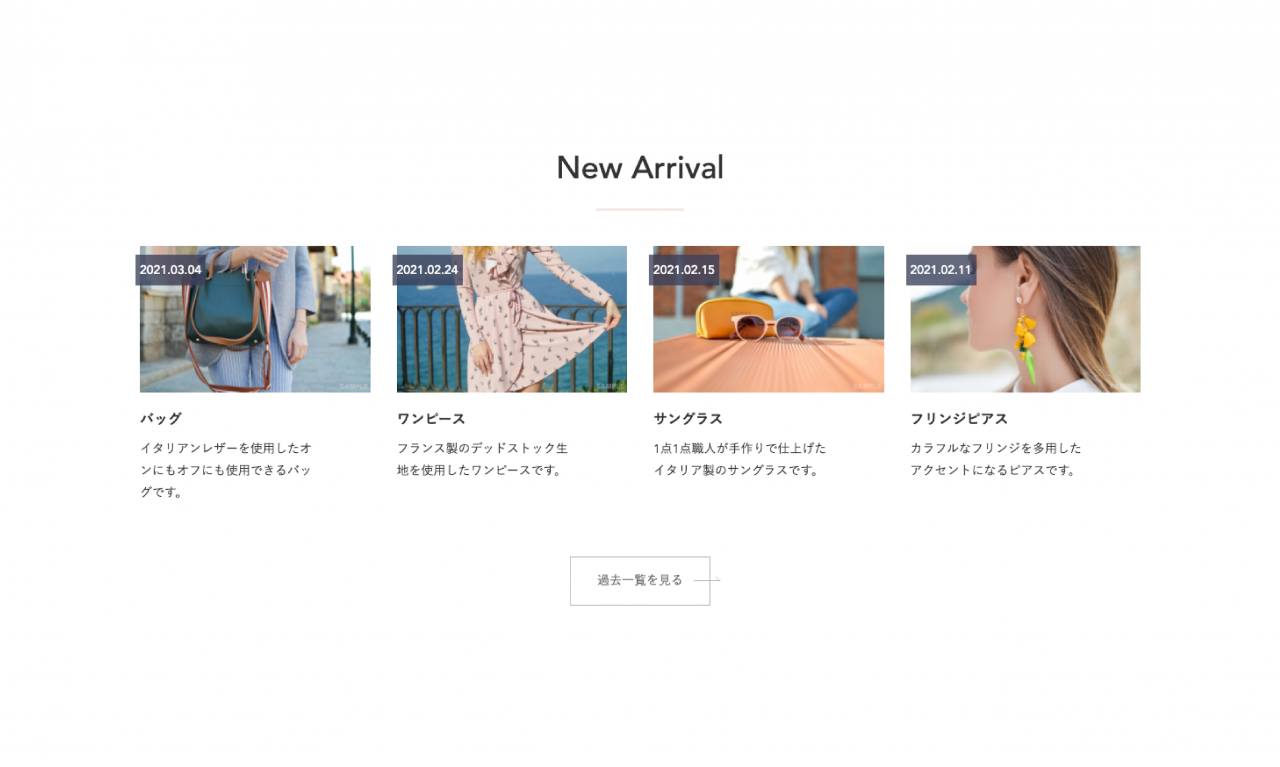
<rdf:li rdf:resource="https://custom.japan-cms.net/blog/2022/04/89517/" />
<rdf:li rdf:resource="https://custom.japan-cms.net/blog/2022/03/89516/" />
<rdf:li rdf:resource="https://custom.japan-cms.net/blog/2022/03/89508/" />
<rdf:li rdf:resource="https://custom.japan-cms.net/blog/2022/03/89502/" />
<rdf:li rdf:resource="https://custom.japan-cms.net/blog/2022/03/89500/" />
<rdf:li rdf:resource="https://custom.japan-cms.net/blog/2022/03/89501/" />
<rdf:li rdf:resource="https://custom.japan-cms.net/blog/2021/07/89495/" />
<rdf:li rdf:resource="https://custom.japan-cms.net/blog/2021/07/89494/" />
<rdf:li rdf:resource="https://custom.japan-cms.net/blog/2021/07/89493/" />
<rdf:li rdf:resource="https://custom.japan-cms.net/blog/2021/07/89492/" />
<rdf:li rdf:resource="https://custom.japan-cms.net/blog/2021/07/89491/" />
<rdf:li rdf:resource="https://custom.japan-cms.net/blog/2021/07/89490/" />
<rdf:li rdf:resource="https://custom.japan-cms.net/blog/2021/07/89489/" />
<rdf:li rdf:resource="https://custom.japan-cms.net/blog/2021/07/89488/" />
</rdf:Seq>
</items>
</channel>

<item rdf:about="https://custom.japan-cms.net/blog/2022/12/89560/">
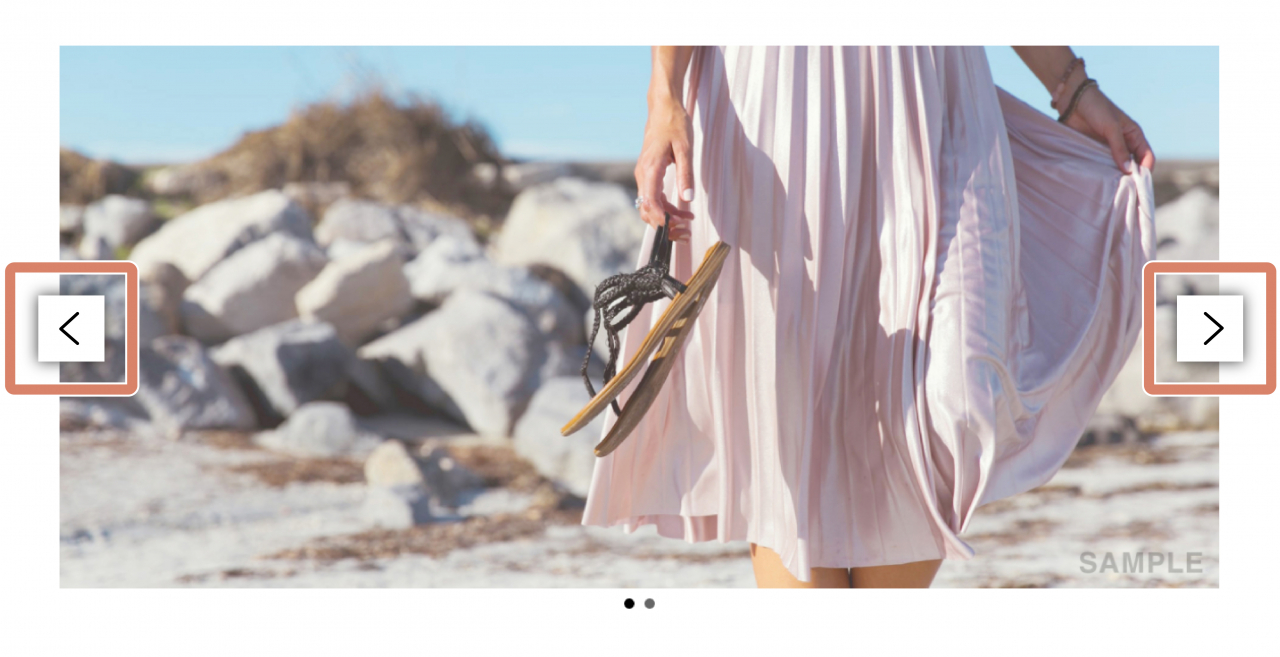
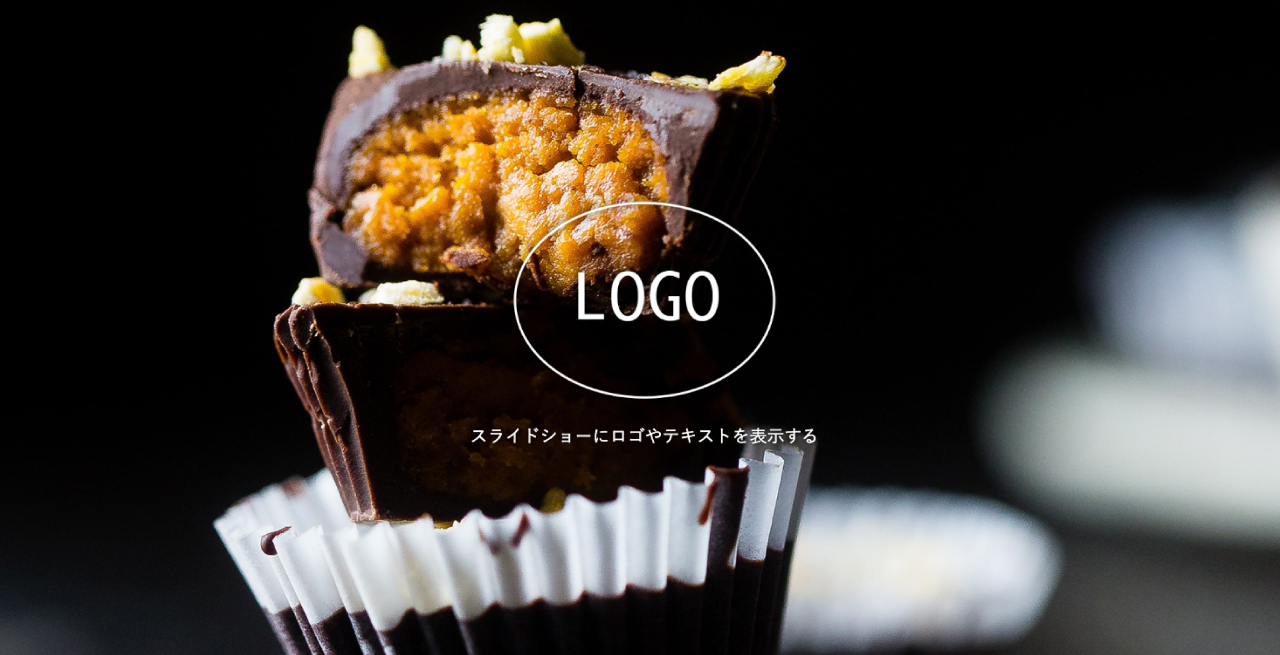
<title>３０．【スライダー】スライドショーにロゴやテキストを表示する</title>
<link>https://custom.japan-cms.net/blog/2022/12/89560/</link>
<description>カスタマイズ内容スライドショーにロゴやテキストを表示する
サンプル

画像をクリックするとサンプルページへ移動します。


 使用テンプレート
 
 resposive_type24
 
 
 見積工数（目安）
 1時間 ～ （カスタマイズ内容による）
 
 
 作業内容
 
 
 HTMLタグの追加
 CSSの調整


</description>
<dc:creator></dc:creator>
<dc:subject></dc:subject>
<dc:date>2022-12-14T19:50:00+09:00</dc:date>
<content:encoded><![CDATA[
<h5 class="cms-content-parts-sin162277669299599300 custom-contents"><span class="custom-contents-title">カスタマイズ内容</span><span id="cms-editor-textarea-sin162277669299601900">スライドショーにロゴやテキストを表示する</span></h5>
<h3 class="cms-content-parts-sin161847676837264400" id="cms-editor-textbox-sin161847676837266100">サンプル</h3>
<div class="cms-content-parts-sin161973244537244200" id="cms-editor-minieditor-sin161973244537245400"><!-- .parts_text_type01 -->
<p style="text-align: center;"><span style="color: rgb(204, 51, 51);">画像をクリックするとサンプルページへ移動します。</span></p>
<!-- // .parts_text_type01 --></div>
<div class="cms-content-parts-sin161847676837267300 caselist-imgBdr caselist-afterOnly" data-selectable="cparts-animate cparts-animate--slideInUp:上へスライド,cparts-animate cparts-animate--slideInDown:下へスライド,cparts-animate cparts-animate--slideInLeft:左へスライド,cparts-animate cparts-animate--slideInRight:右へスライド" data-original="cms-content-parts-sin161847676837268700" data-custom="caselist-imgBdr caselist-afterOnly"><!-- .parts_img_type11 -->
<div class="box clearfix lay-row">
<div class="lay-col12-md-8">
<div class="parts_img_type11_img"><a href="/blog/cus32after/"><img src="https://custom.japan-cms.net/images/blog/cus32/after.jpg" width="1280" height="655" alt="" /></a></div>
</div>
</div>
<!-- // .parts_img_type11 --></div>
<div class="cms-content-parts-sin161847676837207200" id="cms-editor-minieditor-sin161847676837260100"><!-- .parts_tabel_type02 -->
<table>
    <tbody>
        <tr>
            <th width="20%">
            <p>使用テンプレート</p>
            </th>
            <td>resposive_type24</td>
        </tr>
        <tr>
            <th>見積工数（目安）</th>
            <td>1時間 ～ （カスタマイズ内容による）</td>
        </tr>
        <tr>
            <th>作業内容</th>
            <td>
            <ul>
                <li>HTMLタグの追加</li>
                <li>CSSの調整</li>
            </ul>
            </td>
        </tr>
    </tbody>
</table>
<!-- // .parts_tabel_type02 --></div>
<p></p>
]]></content:encoded>
</item>

<item rdf:about="https://custom.japan-cms.net/blog/2022/12/89559/">
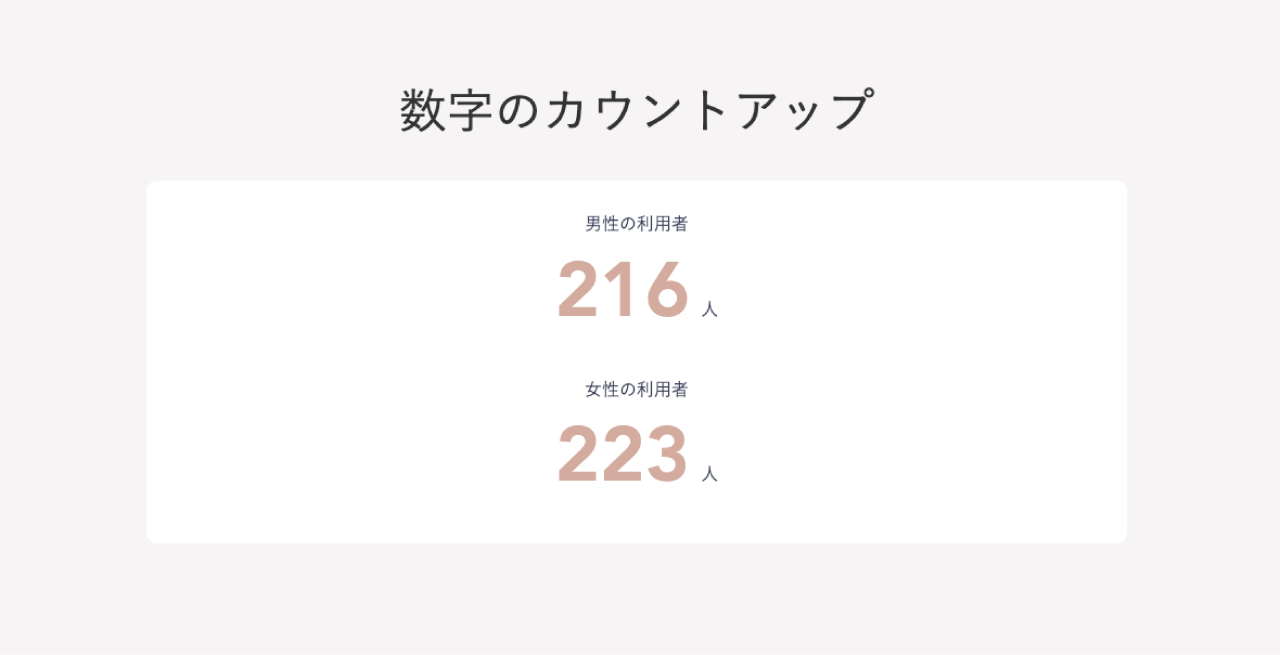
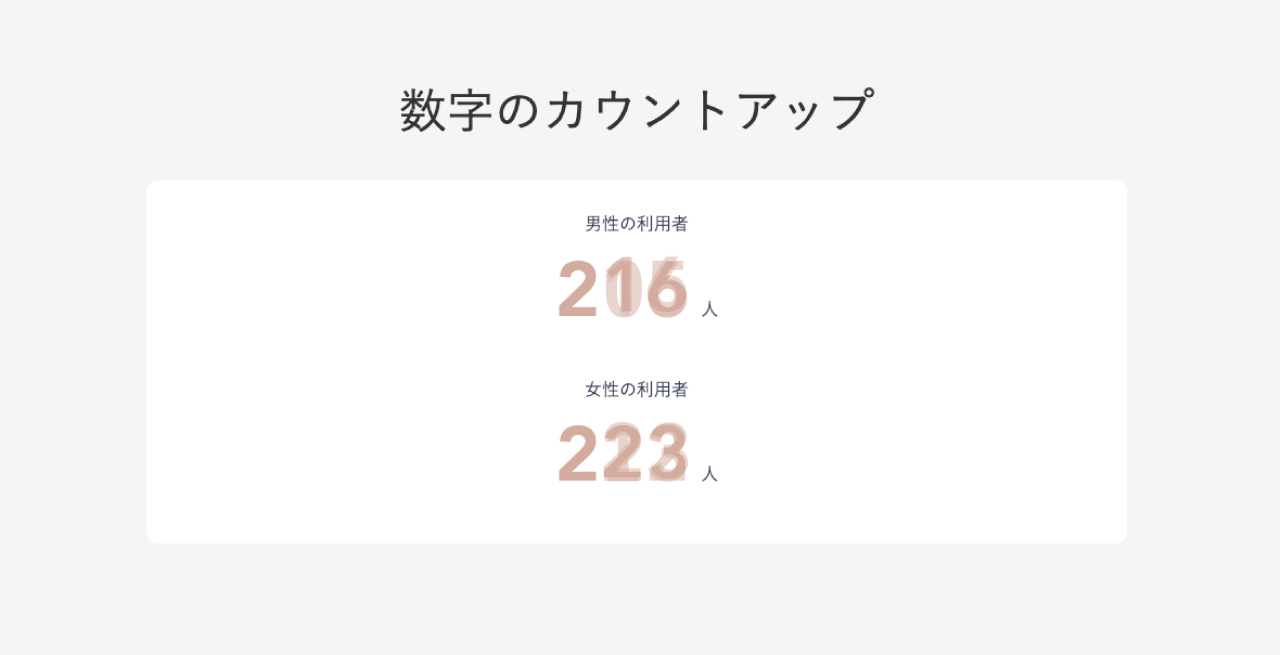
<title>２９．【テンプレート】数字のカウントアップ</title>
<link>https://custom.japan-cms.net/blog/2022/12/89559/</link>
<description>カスタマイズ内容数字のカウントアップ
サンプル

画像をクリックするとサンプルページへ移動します。


Before


After


数字が動的にカウントアップされます


 使用テンプレート
 
 resposive_type24
 
 
 見積工数（目安）
 1時間 ～ （カスタマイズ内容による）
 
 
 作業内容
 
 
 HTMLの追加
 CSSの調整
 Javascriptの追加


</description>
<dc:creator></dc:creator>
<dc:subject></dc:subject>
<dc:date>2022-12-14T14:00:00+09:00</dc:date>
<content:encoded><![CDATA[
<h5 class="cms-content-parts-sin162277622362568000 custom-contents"><span class="custom-contents-title">カスタマイズ内容</span><span id="cms-editor-textarea-sin162277622362571100">数字のカウントアップ</span></h5>
<h3 class="cms-content-parts-sin161847457026229500" id="cms-editor-textbox-sin161847457026232100">サンプル</h3>
<div class="cms-content-parts-sin161973222701621300" id="cms-editor-minieditor-sin161973222701623500"><!-- .parts_text_type01 -->
<p style="text-align: center;"><span style="color: rgb(204, 51, 51);">画像をクリックするとサンプルページへ移動します。</span></p>
<!-- // .parts_text_type01 --></div>
<div class="cms-content-parts-sin161847457026233500 caselist-imgBdr" data-selectable="cparts-animate cparts-animate--slideInUp:上へスライド,cparts-animate cparts-animate--slideInDown:下へスライド,cparts-animate cparts-animate--slideInLeft:左へスライド,cparts-animate cparts-animate--slideInRight:右へスライド" data-original="cms-content-parts-sin161847457026234700" data-custom="caselist-imgBdr"><!-- .parts_img_type11 -->
<div class="box clearfix">
<div class="parts_img_type11_box left">
<div class="cms-easy-edit" id="cms-editor-minieditor-sin161847457026235000">
<h4><a href="/blog/cus31before/">Before</a></h4>
</div>
<div class="parts_img_type11_img"><a href="/blog/cus31before/" rel="otherurl"><img class="cms-easy-edit" id="cms-editor-image-sin161847457026236200" src="https://custom.japan-cms.net/images/blog/cus31/before.jpg" name="" width="1280" height="655" alt="" /></a></div>
</div>
<div class="parts_img_type11_box right">
<div class="cms-easy-edit" id="cms-editor-minieditor-sin161847457026239300">
<h4><a href="/blog/cus31after/">After</a></h4>
</div>
<div class="parts_img_type11_img"><a href="/blog/cus31after/" rel="otherurl"><img class="cms-easy-edit" id="cms-editor-image-sin161847457026240700" src="https://custom.japan-cms.net/images/blog/cus31/after.jpg" name="" width="1280" height="655" alt="" /></a></div>
<div class="cms-easy-edit custom-caption" id="cms-editor-minieditor-sin162251562985754400">
<p><b>数字が動的にカウントアップされます</b></p>
</div>
</div>
</div>
<!-- // .parts_img_type11 --></div>
<div class="cms-content-parts-sin161847457026188800" id="cms-editor-minieditor-sin161847457026227300"><!-- .parts_tabel_type02 -->
<table>
    <tbody>
        <tr>
            <th width="20%">
            <p>使用テンプレート</p>
            </th>
            <td>resposive_type24</td>
        </tr>
        <tr>
            <th>見積工数（目安）</th>
            <td>1時間 ～ （カスタマイズ内容による）</td>
        </tr>
        <tr>
            <th>作業内容</th>
            <td>
            <ul>
                <li>HTMLの追加</li>
                <li>CSSの調整</li>
                <li>Javascriptの追加</li>
            </ul>
            </td>
        </tr>
    </tbody>
</table>
<!-- // .parts_tabel_type02 --></div>
]]></content:encoded>
</item>

<item rdf:about="https://custom.japan-cms.net/blog/2022/12/89558/">
<title>２８．【テンプレート】モーダルウインドウ</title>
<link>https://custom.japan-cms.net/blog/2022/12/89558/</link>
<description>カスタマイズ内容モーダルウインドウ
サンプル

画像をクリックするとサンプルページへ移動します。


 使用テンプレート resposive_type24 見積工数（目安） 1時間～（カスタマイズの内容による） 作業内容 HTMLタグの追加 CSSの調整 Javascriptの追加 
</description>
<dc:creator></dc:creator>
<dc:subject></dc:subject>
<dc:date>2022-12-14T12:00:00+09:00</dc:date>
<content:encoded><![CDATA[
<h5 class="cms-content-parts-sin162277669299599300 custom-contents"><span class="custom-contents-title">カスタマイズ内容</span><span id="cms-editor-textarea-sin162277669299601900">モーダルウインドウ</span></h5>
<h3 class="cms-content-parts-sin161847676837264400" id="cms-editor-textbox-sin161847676837266100">サンプル</h3>
<div class="cms-content-parts-sin161973244537244200" id="cms-editor-minieditor-sin161973244537245400"><!-- .parts_text_type01 -->
<p style="text-align: center;"><span style="color: rgb(204, 51, 51);">画像をクリックするとサンプルページへ移動します。</span></p>
<!-- // .parts_text_type01 --></div>
<div class="cms-content-parts-sin161847676837267300 caselist-imgBdr caselist-afterOnly" data-selectable="cparts-animate cparts-animate--slideInUp:上へスライド,cparts-animate cparts-animate--slideInDown:下へスライド,cparts-animate cparts-animate--slideInLeft:左へスライド,cparts-animate cparts-animate--slideInRight:右へスライド" data-original="cms-content-parts-sin161847676837268700" data-custom="caselist-imgBdr caselist-afterOnly"><!-- .parts_img_type11 -->
<div class="box clearfix lay-row">
<div class="lay-col12-md-8">
<div class="parts_img_type11_img"><a href="/blog/cus30after/"><img src="https://custom.japan-cms.net/images/blog/cus30/after.jpg" width="1280" height="655" alt="" /></a></div>
</div>
</div>
<!-- // .parts_img_type11 --></div>
<div class="cms-content-parts-sin161847676837207200" id="cms-editor-minieditor-sin161847676837260100"><!-- .parts_tabel_type02 --> <table>     <tbody>         <tr>             <th width="20%"><p>使用テンプレート</p></th>             <td>resposive_type24</td>         </tr>         <tr>             <th>見積工数（目安）</th>             <td>1時間～（カスタマイズの内容による）</td>         </tr>         <tr>             <th>作業内容</th>             <td><ul>                 <li>HTMLタグの追加</li>                 <li>CSSの調整</li>                 <li>Javascriptの追加</li>             </ul></td>         </tr>     </tbody> </table> <!-- // .parts_tabel_type02 --></div>
<p></p>
]]></content:encoded>
</item>

<item rdf:about="https://custom.japan-cms.net/blog/2022/12/89557/">
<title>２７．【ブログ】カスタムフィールド活用事例</title>
<link>https://custom.japan-cms.net/blog/2022/12/89557/</link>
<description>カスタマイズ内容カスタムフィールド活用事例
サンプル

画像をクリックするとサンプルページへ移動します。


 使用テンプレート
 
 resposive_type24
 
 
 見積工数（目安）
 1時間 ～ （カスタマイズ内容による）
 
 
 作業内容
 
 
 テンプレートのHTMLファイルにモジュールタグを追加し、カスタマイズ
 CSSの調整


</description>
<dc:creator></dc:creator>
<dc:subject></dc:subject>
<dc:date>2022-12-14T11:10:00+09:00</dc:date>
<content:encoded><![CDATA[
<h5 class="cms-content-parts-sin162277669299599300 custom-contents"><span class="custom-contents-title">カスタマイズ内容</span><span id="cms-editor-textarea-sin162277669299601900">カスタムフィールド活用事例</span></h5>
<h3 class="cms-content-parts-sin161847676837264400" id="cms-editor-textbox-sin161847676837266100">サンプル</h3>
<div class="cms-content-parts-sin161973244537244200" id="cms-editor-minieditor-sin161973244537245400"><!-- .parts_text_type01 -->
<p style="text-align: center;"><span style="color: rgb(204, 51, 51);">画像をクリックするとサンプルページへ移動します。</span></p>
<!-- // .parts_text_type01 --></div>
<div class="cms-content-parts-sin161847676837267300 caselist-imgBdr caselist-afterOnly" data-selectable="cparts-animate cparts-animate--slideInUp:上へスライド,cparts-animate cparts-animate--slideInDown:下へスライド,cparts-animate cparts-animate--slideInLeft:左へスライド,cparts-animate cparts-animate--slideInRight:右へスライド" data-original="cms-content-parts-sin161847676837268700" data-custom="caselist-imgBdr caselist-afterOnly"><!-- .parts_img_type11 -->
<div class="box clearfix lay-row">
<div class="lay-col12-md-8">
<div class="parts_img_type11_img"><a href="https://custom.japan-cms.net/sampleblog/2022/03/89514/"><img src="https://custom.japan-cms.net/images/blog/cus29/after.jpg" width="1280" height="655" alt="" /></a></div>
</div>
</div>
<!-- // .parts_img_type11 --></div>
<div class="cms-content-parts-sin167109383379339800 caselist-imgBdr caselist-afterOnly" data-selectable="cparts-animate cparts-animate--slideInUp:上へスライド,cparts-animate cparts-animate--slideInDown:下へスライド,cparts-animate cparts-animate--slideInLeft:左へスライド,cparts-animate cparts-animate--slideInRight:右へスライド" data-original="cms-content-parts-sin167109383379347300" data-custom="caselist-imgBdr caselist-afterOnly"><!-- .parts_img_type11 -->
<div class="box clearfix lay-row">
<div class="lay-col12-md-8">
<div class="parts_img_type11_img"><a href="https://custom.japan-cms.net/sampleblog/2022/03/89514/"><img src="https://custom.japan-cms.net/images/blog/cus29/after2.jpg" width="1280" height="655" alt="" /></a></div>
</div>
</div>
<!-- // .parts_img_type11 --></div>
<div class="cms-content-parts-sin161847676837207200" id="cms-editor-minieditor-sin161847676837260100"><!-- .parts_tabel_type02 -->
<table>
    <tbody>
        <tr>
            <th width="20%">
            <p>使用テンプレート</p>
            </th>
            <td>resposive_type24</td>
        </tr>
        <tr>
            <th>見積工数（目安）</th>
            <td>1時間 ～ （カスタマイズ内容による）</td>
        </tr>
        <tr>
            <th>作業内容</th>
            <td>
            <ul>
                <li>テンプレートのHTMLファイルにモジュールタグを追加し、カスタマイズ</li>
                <li>CSSの調整</li>
            </ul>
            </td>
        </tr>
    </tbody>
</table>
<!-- // .parts_tabel_type02 --></div>
]]></content:encoded>
</item>

<item rdf:about="https://custom.japan-cms.net/blog/2022/12/89556/">
<title>２６．【ブログ】ブログ最新一覧のスライド化</title>
<link>https://custom.japan-cms.net/blog/2022/12/89556/</link>
<description>カスタマイズ内容ブログ最新一覧のスライド化
サンプル

画像をクリックするとサンプルページへ移動します。


 使用テンプレート resposive_type24 見積工数（目安） 2時間～（カスタマイズの内容による） 作業内容 テンプレートのHTMLファイルにモジュールタグを追加し、カスタマイズ CSSの調整 Javascriptの追加 </description>
<dc:creator></dc:creator>
<dc:subject></dc:subject>
<dc:date>2022-12-13T14:20:00+09:00</dc:date>
<content:encoded><![CDATA[
<h5 class="cms-content-parts-sin162277669299599300 custom-contents"><span class="custom-contents-title">カスタマイズ内容</span><span id="cms-editor-textarea-sin162277669299601900">ブログ最新一覧のスライド化</span></h5>
<h3 class="cms-content-parts-sin161847676837264400" id="cms-editor-textbox-sin161847676837266100">サンプル</h3>
<div class="cms-content-parts-sin161973244537244200" id="cms-editor-minieditor-sin161973244537245400"><!-- .parts_text_type01 -->
<p style="text-align: center;"><span style="color: rgb(204, 51, 51);">画像をクリックするとサンプルページへ移動します。</span></p>
<!-- // .parts_text_type01 --></div>
<div class="cms-content-parts-sin161847676837267300 caselist-imgBdr caselist-afterOnly" data-selectable="cparts-animate cparts-animate--slideInUp:上へスライド,cparts-animate cparts-animate--slideInDown:下へスライド,cparts-animate cparts-animate--slideInLeft:左へスライド,cparts-animate cparts-animate--slideInRight:右へスライド" data-original="cms-content-parts-sin161847676837268700" data-custom="caselist-imgBdr caselist-afterOnly"><!-- .parts_img_type11 -->
<div class="box clearfix lay-row">
<div class="lay-col12-md-8">
<div class="parts_img_type11_img"><a href="/blog/cus28after/"><img src="https://custom.japan-cms.net/images/blog/cus28/after.jpg" width="1280" height="655" alt="" /></a></div>
</div>
</div>
<!-- // .parts_img_type11 --></div>
<div class="cms-content-parts-sin161847676837207200" id="cms-editor-minieditor-sin161847676837260100"><!-- .parts_tabel_type02 --> <table>     <tbody>         <tr>             <th width="20%"><p>使用テンプレート</p></th>             <td>resposive_type24</td>         </tr>         <tr>             <th>見積工数（目安）</th>             <td>2時間～（カスタマイズの内容による）</td>         </tr>         <tr>             <th>作業内容</th>             <td><ul>                 <li>テンプレートのHTMLファイルにモジュールタグを追加し、カスタマイズ</li>                 <li>CSSの調整</li>                 <li>Javascriptの追加</li>             </ul></td>         </tr>     </tbody> </table> <!-- // .parts_tabel_type02 --></div>
]]></content:encoded>
</item>

<item rdf:about="https://custom.japan-cms.net/blog/2022/12/89555/">
<title>２５．【テンプレート】ECの購入ボタンを追加配置</title>
<link>https://custom.japan-cms.net/blog/2022/12/89555/</link>
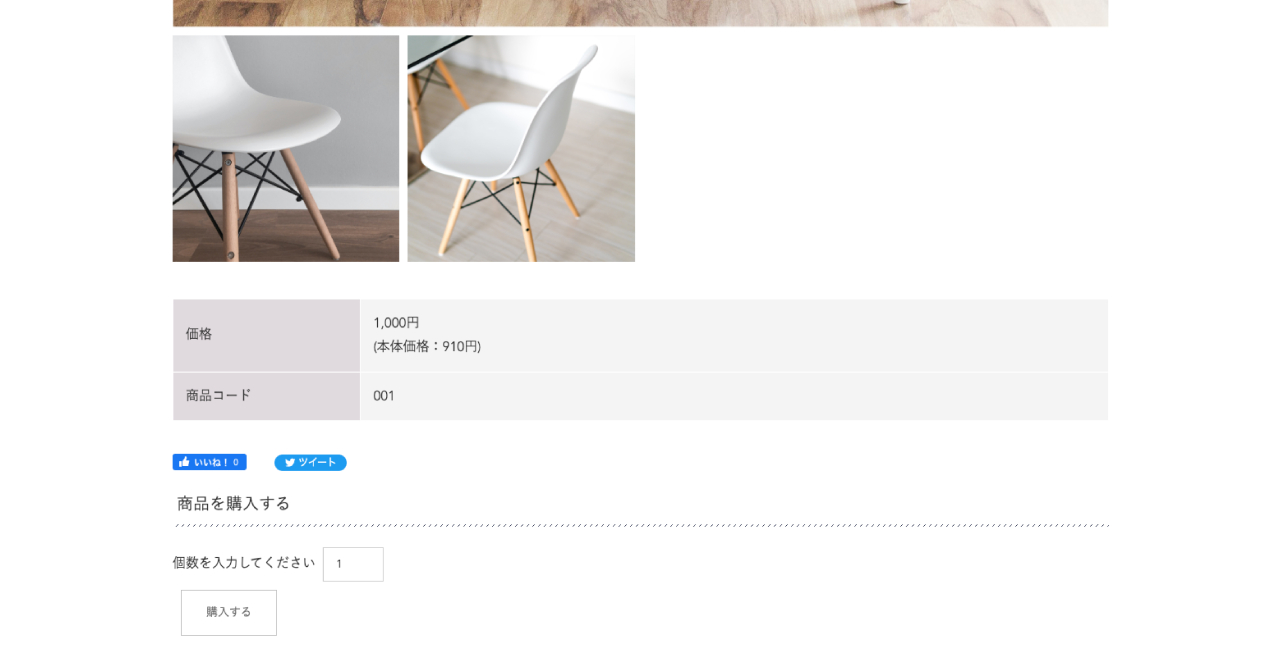
<description>カスタマイズ内容ECの購入ボタンを追加配置
サンプル

画像をクリックするとサンプルページへ移動します。


 使用テンプレート resposive_type24 見積工数（目安） 1時間～（カスタマイズの内容による） 作業内容 テンプレートのHTMLファイルにモジュールタグを追加し、カスタマイズ CSSの調整 </description>
<dc:creator></dc:creator>
<dc:subject></dc:subject>
<dc:date>2022-12-13T13:00:00+09:00</dc:date>
<content:encoded><![CDATA[
<h5 class="cms-content-parts-sin162277669299599300 custom-contents"><span class="custom-contents-title">カスタマイズ内容</span><span id="cms-editor-textarea-sin162277669299601900">ECの購入ボタンを追加配置</span></h5>
<h3 class="cms-content-parts-sin161847676837264400" id="cms-editor-textbox-sin161847676837266100">サンプル</h3>
<div class="cms-content-parts-sin161973244537244200" id="cms-editor-minieditor-sin161973244537245400"><!-- .parts_text_type01 -->
<p style="text-align: center;"><span style="color: rgb(204, 51, 51);">画像をクリックするとサンプルページへ移動します。</span></p>
<!-- // .parts_text_type01 --></div>
<div class="cms-content-parts-sin161847676837267300 caselist-imgBdr caselist-afterOnly" data-selectable="cparts-animate cparts-animate--slideInUp:上へスライド,cparts-animate cparts-animate--slideInDown:下へスライド,cparts-animate cparts-animate--slideInLeft:左へスライド,cparts-animate cparts-animate--slideInRight:右へスライド" data-original="cms-content-parts-sin161847676837268700" data-custom="caselist-imgBdr caselist-afterOnly"><!-- .parts_img_type11 -->
<div class="box clearfix lay-row">
<div class="lay-col12-md-8">
<div class="parts_img_type11_img"><a href="https://custom.japan-cms.net/onlineshop/catalog/77/001/"><img class="cms-easy-edit" id="cms-editor-image-sin161847676837272500" src="https://custom.japan-cms.net/images/blog/cus27/after.jpg" name="" alt="" /></a></div>
</div>
</div>
<!-- // .parts_img_type11 --></div>
<div class="cms-content-parts-sin161847676837207200" id="cms-editor-minieditor-sin161847676837260100"><!-- .parts_tabel_type02 --> <table>     <tbody>         <tr>             <th width="20%"><p>使用テンプレート</p></th>             <td>resposive_type24</td>         </tr>         <tr>             <th>見積工数（目安）</th>             <td>1時間～（カスタマイズの内容による）</td>         </tr>         <tr>             <th>作業内容</th>             <td><ul>                 <li>テンプレートのHTMLファイルにモジュールタグを追加し、カスタマイズ</li>                 <li>CSSの調整</li>             </ul></td>         </tr>     </tbody> </table> <!-- // .parts_tabel_type02 --></div>
]]></content:encoded>
</item>

<item rdf:about="https://custom.japan-cms.net/blog/2022/04/89517/">
<title>２４．ページ内への動画埋め込み</title>
<link>https://custom.japan-cms.net/blog/2022/04/89517/</link>
<description>カスタマイズ内容ページ内へ動画タグを埋め込み再生させる
サンプル
[[CMSmodule.parts::ad#param=18]]
 使用テンプレート resposive_type24 見積工数（目安） 1時間～（カスタマイズの内容による） 作業内容 HTMLタグの追加 
制作動画紹介

会社紹介や商品PV、ドローン空撮の動画など幅広く制作依頼を承っております。
お気軽にご相談ください。

リクルート用会社紹介タイプ
 
ドローン空撮タイプ
 
商品PVタイプ
 
2Dアニメーションタイプ
 </description>
<dc:creator></dc:creator>
<dc:subject></dc:subject>
<dc:date>2022-04-07T10:45:00+09:00</dc:date>
<content:encoded><![CDATA[
<h5 class="cms-content-parts-sin162277669299599300 custom-contents"><span class="custom-contents-title">カスタマイズ内容</span><span id="cms-editor-textarea-sin162277669299601900">ページ内へ動画タグを埋め込み再生させる</span></h5>
<h3 class="cms-content-parts-sin161847676837264400" id="cms-editor-textbox-sin161847676837266100">サンプル</h3>
<div class="cms-content-parts-sin164929619517161100" style="text-align: center;">[[CMSmodule.parts::ad#param=18]]</div>
<div class="cms-content-parts-sin161847676837207200" id="cms-editor-minieditor-sin161847676837260100" data-original="cms-content-parts-sin161847676837207200" style="margin-top:30px;"><!-- .parts_tabel_type02 --> <table>     <tbody>         <tr>             <th width="20%"><p>使用テンプレート</p></th>             <td>resposive_type24</td>         </tr>         <tr>             <th>見積工数（目安）</th>             <td>1時間～（カスタマイズの内容による）</td>         </tr>         <tr>             <th>作業内容</th>             <td><ul>                 <li>HTMLタグの追加</li>             </ul></td>         </tr>     </tbody> </table> <!-- // .parts_tabel_type02 --></div>
<h3 class="cms-content-parts-sin164929657538655600" id="cms-editor-textarea-sin164929657538664700">制作動画紹介</h3>
<div class="cms-content-parts-sin165242070140466200" id="cms-editor-minieditor-sin165242070140469800">
<p style="text-align: center;">会社紹介や商品PV、ドローン空撮の動画など幅広く制作依頼を承っております。<br />
お気軽にご相談ください。</p>
</div>
<h4 class="cms-content-parts-sin164929949674946500" id="cms-editor-textarea-sin164929949674983900" data-original="cms-content-parts-sin164929949674946500">リクルート用会社紹介タイプ</h4>
<div class="cms-content-parts-sin164929959795444300" id="cms-editor-minieditor-sin164929959795445500" data-original="cms-content-parts-sin164929959795444300" style="text-align: center;"><!-- .parts_text_type01 --> <iframe width="560" height="315" src="https://www.youtube.com/embed/Hmu87VKU8V0" title="YouTube video player" frameborder="0" allow="accelerometer; autoplay; clipboard-write; encrypted-media; gyroscope; picture-in-picture" allowfullscreen=""></iframe> <!-- // .parts_text_type01 --></div>
<h4 class="cms-content-parts-sin164929950333466900" id="cms-editor-textarea-sin164929950333475100">ドローン空撮タイプ</h4>
<div class="cms-content-parts-sin164929960249349700" id="cms-editor-minieditor-sin164929960249358700" style="text-align: center;"><!-- .parts_text_type01 --> <iframe width="560" height="315" src="https://www.youtube.com/embed/eIZMbY1pVq4" title="YouTube video player" frameborder="0" allow="accelerometer; autoplay; clipboard-write; encrypted-media; gyroscope; picture-in-picture" allowfullscreen=""></iframe> <!-- // .parts_text_type01 --></div>
<h4 class="cms-content-parts-sin164929950944224900" id="cms-editor-textarea-sin164929950944232300">商品PVタイプ</h4>
<div class="cms-content-parts-sin164929960494083900" id="cms-editor-minieditor-sin164929960494091900" style="text-align: center;"><!-- .parts_text_type01 --> <iframe width="560" height="315" src="https://www.youtube.com/embed/MATfXRWTN-o" title="YouTube video player" frameborder="0" allow="accelerometer; autoplay; clipboard-write; encrypted-media; gyroscope; picture-in-picture" allowfullscreen=""></iframe> <!-- // .parts_text_type01 --></div>
<h4 class="cms-content-parts-sin164929950610905500" id="cms-editor-textarea-sin164929950610915000">2Dアニメーションタイプ</h4>
<div class="cms-content-parts-sin164929960795007000" id="cms-editor-minieditor-sin164929960795014300" style="text-align: center;"><!-- .parts_text_type01 --> <iframe width="560" height="315" src="https://www.youtube.com/embed/a7w031Ti8d0" title="YouTube video player" frameborder="0" allow="accelerometer; autoplay; clipboard-write; encrypted-media; gyroscope; picture-in-picture" allowfullscreen=""></iframe> <!-- // .parts_text_type01 --></div>
]]></content:encoded>
</item>

<item rdf:about="https://custom.japan-cms.net/blog/2022/03/89516/">
<title>２３．【ブログ】カテゴリーごとの表示切り替え</title>
<link>https://custom.japan-cms.net/blog/2022/03/89516/</link>
<description>カスタマイズ内容カテゴリーから記事を自動抽出
サンプル

画像をクリックするとサンプルページへ移動します。


 使用テンプレート resposive_type24 見積工数（目安） 2時間～（カスタマイズの内容による） 作業内容 HTMLタグの追加 CSSの調整 Javascriptの追加 </description>
<dc:creator></dc:creator>
<dc:subject></dc:subject>
<dc:date>2022-03-24T18:30:00+09:00</dc:date>
<content:encoded><![CDATA[
<h5 class="cms-content-parts-sin162277669299599300 custom-contents"><span class="custom-contents-title">カスタマイズ内容</span><span id="cms-editor-textarea-sin162277669299601900">カテゴリーから記事を自動抽出</span></h5>
<h3 class="cms-content-parts-sin161847676837264400" id="cms-editor-textbox-sin161847676837266100">サンプル</h3>
<div class="cms-content-parts-sin161973244537244200" id="cms-editor-minieditor-sin161973244537245400"><!-- .parts_text_type01 -->
<p style="text-align: center;"><span style="color: rgb(204, 51, 51);">画像をクリックするとサンプルページへ移動します。</span></p>
<!-- // .parts_text_type01 --></div>
<div class="cms-content-parts-sin161847676837267300 caselist-imgBdr caselist-afterOnly" data-selectable="cparts-animate cparts-animate--slideInUp:上へスライド,cparts-animate cparts-animate--slideInDown:下へスライド,cparts-animate cparts-animate--slideInLeft:左へスライド,cparts-animate cparts-animate--slideInRight:右へスライド" data-original="cms-content-parts-sin161847676837268700" data-custom="caselist-imgBdr caselist-afterOnly"><!-- .parts_img_type11 -->
<div class="box clearfix lay-row">
<div class="lay-col12-md-8">
<div class="parts_img_type11_img"><a href="/custom/blog/cus25after/" rel="otherurl" target="_blank"><img class="cms-easy-edit" id="cms-editor-image-sin161847676837272500" src="https://custom.japan-cms.net/images/blog/cus25/after.jpg" name="" alt="" /></a></div>
</div>
</div>
<!-- // .parts_img_type11 --></div>
<div class="cms-content-parts-sin161847676837207200" id="cms-editor-minieditor-sin161847676837260100"><!-- .parts_tabel_type02 --> <table>     <tbody>         <tr>             <th width="20%"><p>使用テンプレート</p></th>             <td>resposive_type24</td>         </tr>         <tr>             <th>見積工数（目安）</th>             <td>2時間～（カスタマイズの内容による）</td>         </tr>         <tr>             <th>作業内容</th>             <td><ul>                 <li>HTMLタグの追加</li>                 <li>CSSの調整</li>                 <li>Javascriptの追加</li>             </ul></td>         </tr>     </tbody> </table> <!-- // .parts_tabel_type02 --></div>
]]></content:encoded>
</item>

<item rdf:about="https://custom.japan-cms.net/blog/2022/03/89508/">
<title>２２．【トピックス】記事の自動切り替え</title>
<link>https://custom.japan-cms.net/blog/2022/03/89508/</link>
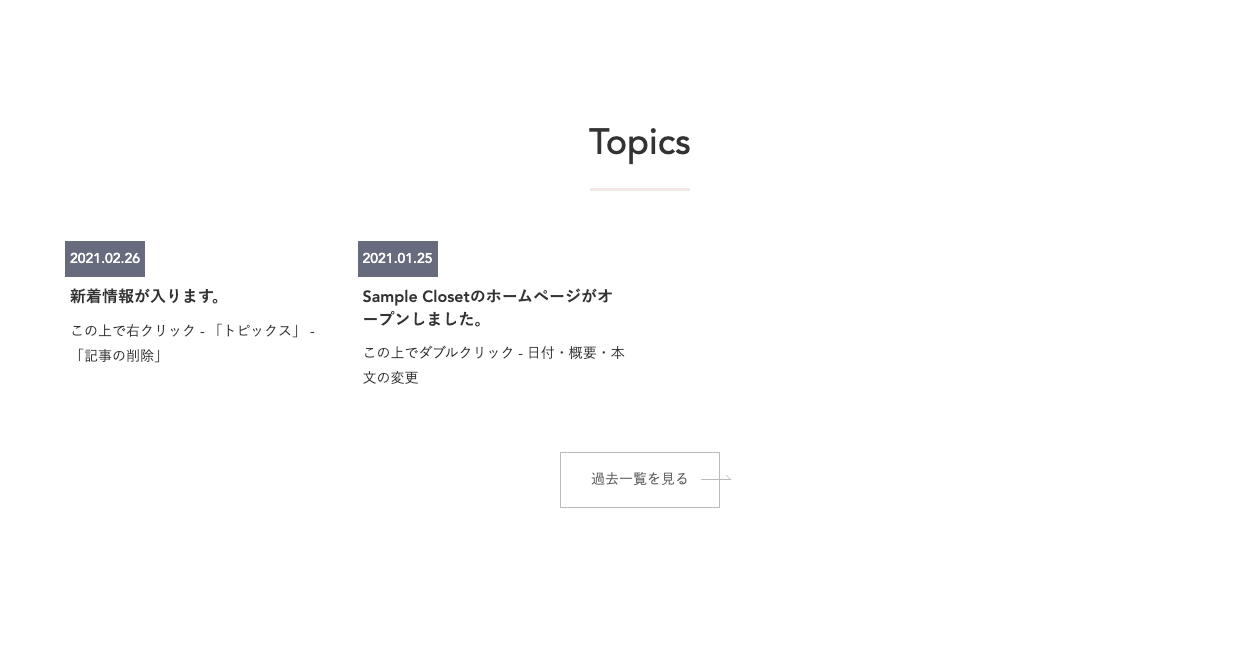
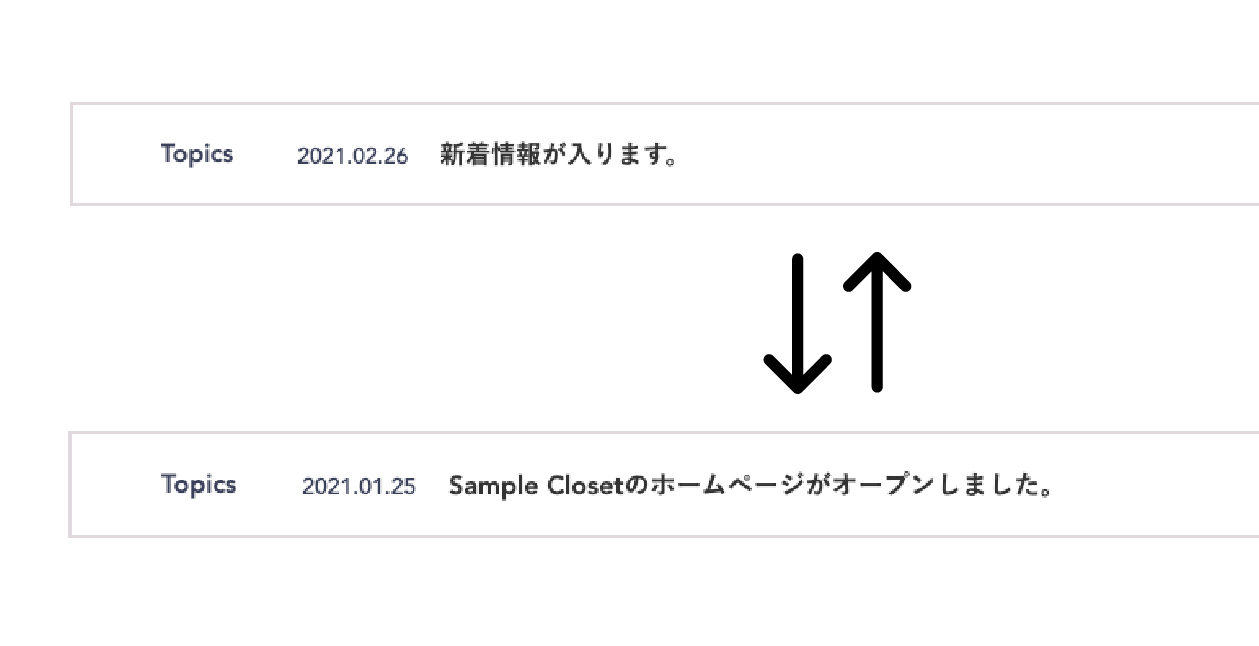
<description>カスタマイズ内容新着記事を時間経過で切り替え
サンプル

画像をクリックするとサンプルページへ移動します。


Before


After


新着記事が時間経過で切り替わります。


 使用テンプレート resposive_type24 見積工数（目安） 2時間～（カスタマイズの内容による） 作業内容 CSSの調整 Javascriptの追加 </description>
<dc:creator></dc:creator>
<dc:subject></dc:subject>
<dc:date>2022-03-21T14:55:00+09:00</dc:date>
<content:encoded><![CDATA[
<h5 class="cms-content-parts-sin162277669299599300 custom-contents"><span class="custom-contents-title">カスタマイズ内容</span><span id="cms-editor-textarea-sin162277669299601900">新着記事を時間経過で切り替え</span></h5>
<h3 class="cms-content-parts-sin161847676837264400" id="cms-editor-textbox-sin161847676837266100">サンプル</h3>
<div class="cms-content-parts-sin161973244537244200" id="cms-editor-minieditor-sin161973244537245400"><!-- .parts_text_type01 -->
<p style="text-align: center;"><span style="color: rgb(204, 51, 51);">画像をクリックするとサンプルページへ移動します。</span></p>
<!-- // .parts_text_type01 --></div>
<div class="cms-content-parts-sin164788046687032800 caselist-imgBdr" data-selectable="cparts-animate cparts-animate--slideInUp:上へスライド,cparts-animate cparts-animate--slideInDown:下へスライド,cparts-animate cparts-animate--slideInLeft:左へスライド,cparts-animate cparts-animate--slideInRight:右へスライド" data-original="cms-content-parts-sin164788046687043300" data-custom="caselist-imgBdr"><!-- .parts_img_type11 -->
<div class="box clearfix">
<div class="parts_img_type11_box left">
<div class="cms-easy-edit" id="cms-editor-minieditor-sin164788046687045800">
<h4>Before</h4>
</div>
<div class="parts_img_type11_img"><a href="/custom/images/blog/cus24/before.jpg" rel="lightbox2[]" title=""> <img src="https://custom.japan-cms.net/images/blog/cus24/before.jpg" width="1259" height="646" alt="" /> </a></div>
</div>
<div class="parts_img_type11_box right">
<div class="cms-easy-edit" id="cms-editor-minieditor-sin164788046687049300">
<h4><a href="/custom/blog/cus24after/">After</a></h4>
</div>
<div class="parts_img_type11_img"><a href="/custom/blog/cus24after/"><img class="cms-easy-edit" id="cms-editor-image-sin164788046687050800" src="https://custom.japan-cms.net/images/blog/cus24/after.jpg" name="" width="1259" height="646" alt="" /></a></div>
<div class="cms-content-parts-sin164788046687052200 custom-caption" id="cms-editor-minieditor-sin164788046687053700">
<p>新着記事が時間経過で切り替わります。</p>
</div>
</div>
</div>
<!-- // .parts_img_type11 --></div>
<div class="cms-content-parts-sin161847676837207200" id="cms-editor-minieditor-sin161847676837260100"><!-- .parts_tabel_type02 --> <table>     <tbody>         <tr>             <th width="20%"><p>使用テンプレート</p></th>             <td>resposive_type24</td>         </tr>         <tr>             <th>見積工数（目安）</th>             <td>2時間～（カスタマイズの内容による）</td>         </tr>         <tr>             <th>作業内容</th>             <td><ul>                 <li>CSSの調整</li>                 <li>Javascriptの追加</li>             </ul></td>         </tr>     </tbody> </table> <!-- // .parts_tabel_type02 --></div>
]]></content:encoded>
</item>

<item rdf:about="https://custom.japan-cms.net/blog/2022/03/89502/">
<title>２１．【ブログ】カテゴリーから記事を自動抽出</title>
<link>https://custom.japan-cms.net/blog/2022/03/89502/</link>
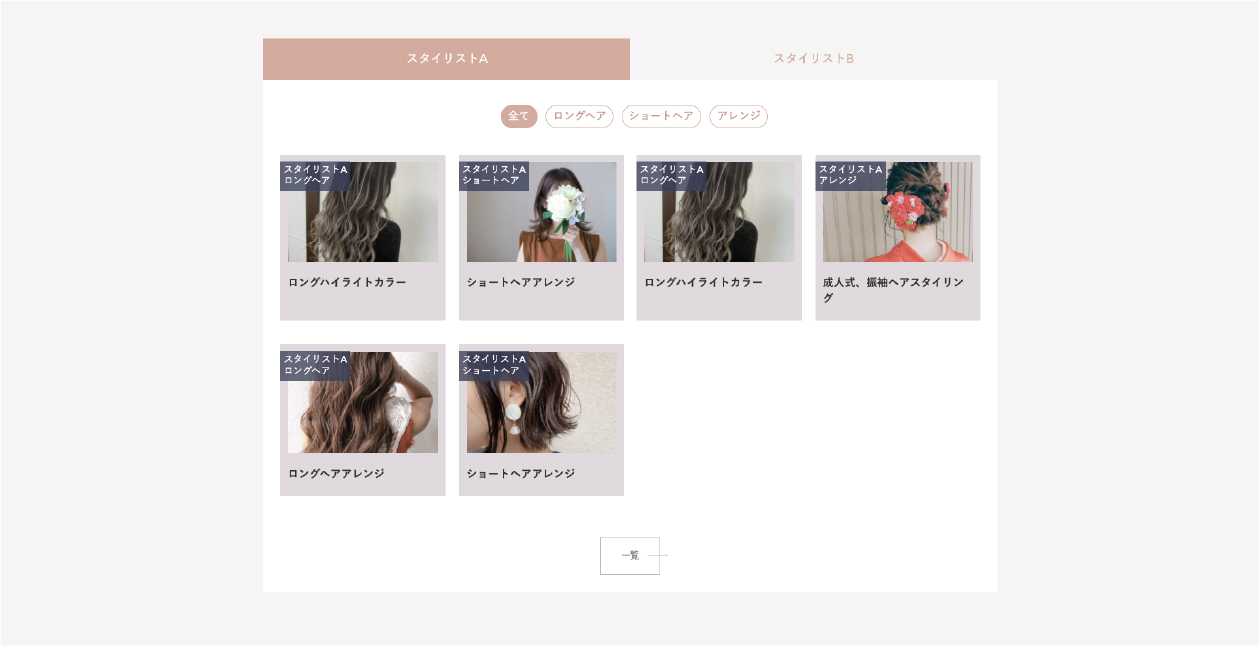
<description>カスタマイズ内容カテゴリーから記事を自動抽出
サンプル

画像をクリックするとサンプルページへ移動します。
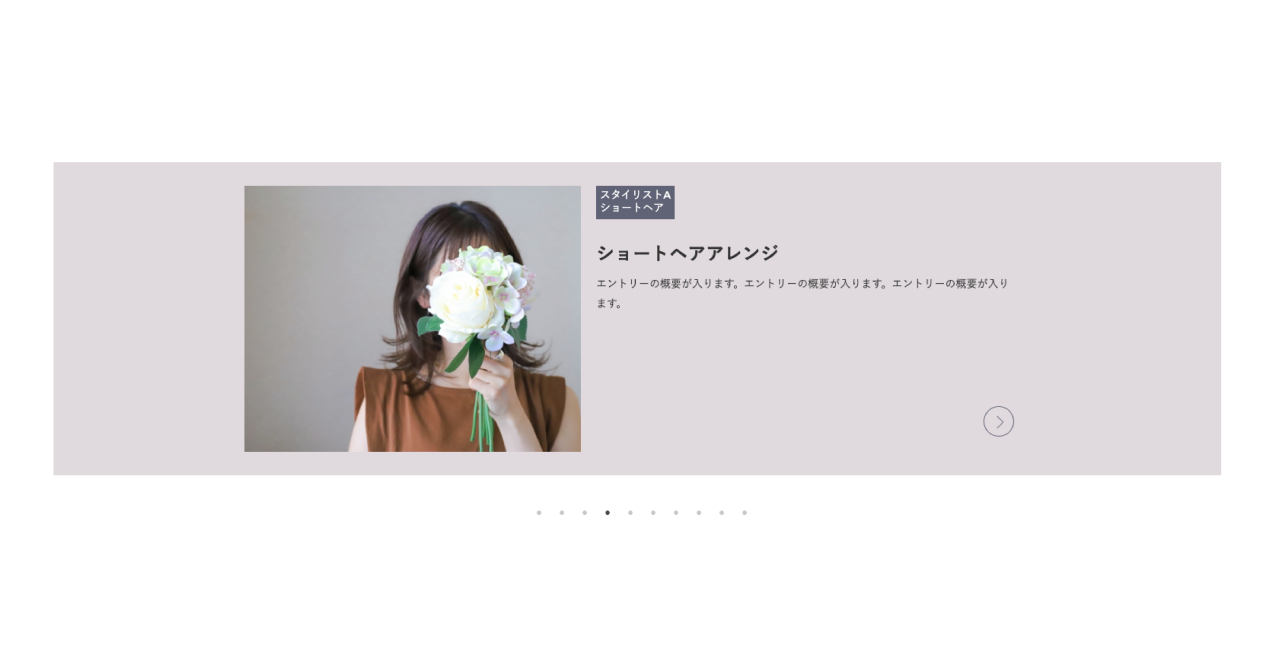
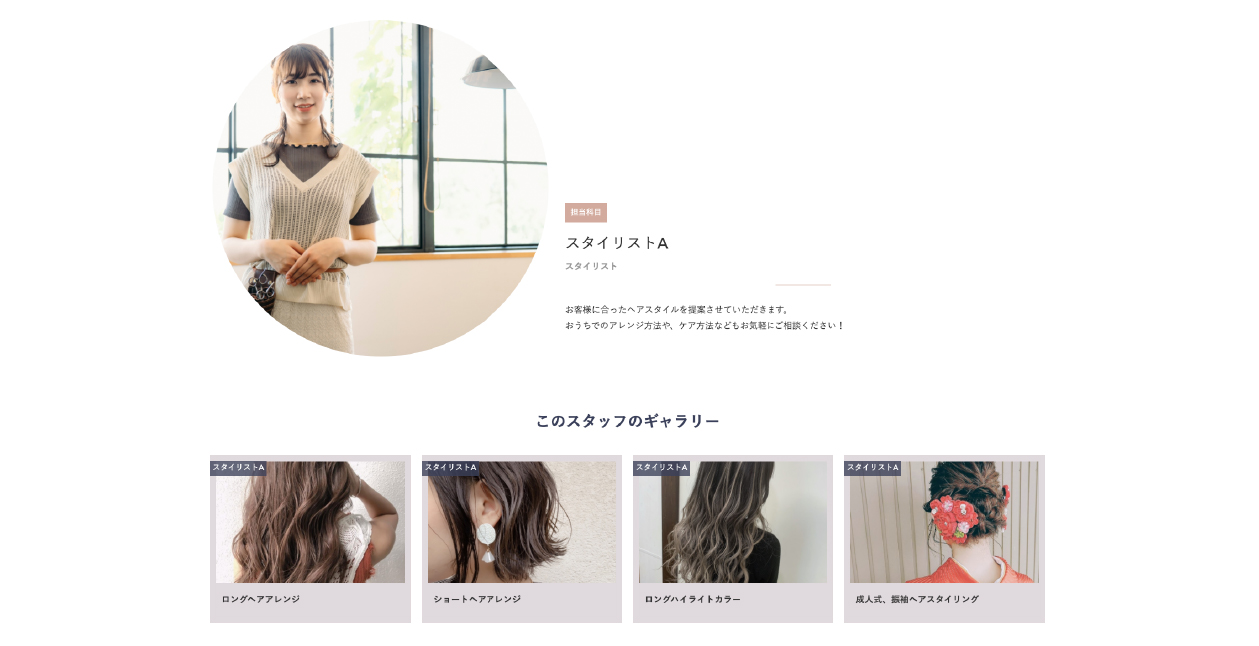
サンプルページでは「スタイリストA」というカテゴリーが含まれるブログエントリーをギャラリー部分に表示しています。


 使用テンプレート resposive_type24 見積工数（目安） 2時間～（カスタマイズの内容による） 作業内容 フリーパーツの作成 CSSの調整 Javascriptの追加 </description>
<dc:creator></dc:creator>
<dc:subject></dc:subject>
<dc:date>2022-03-21T14:35:00+09:00</dc:date>
<content:encoded><![CDATA[
<h5 class="cms-content-parts-sin162277669299599300 custom-contents"><span class="custom-contents-title">カスタマイズ内容</span><span id="cms-editor-textarea-sin162277669299601900">カテゴリーから記事を自動抽出</span></h5>
<h3 class="cms-content-parts-sin161847676837264400" id="cms-editor-textbox-sin161847676837266100">サンプル</h3>
<div class="cms-content-parts-sin161973244537244200" id="cms-editor-minieditor-sin161973244537245400"><!-- .parts_text_type01 -->
<p style="text-align: center;"><span style="color: rgb(204, 51, 51);">画像をクリックするとサンプルページへ移動します。</span></p>
<p style="text-align: center;">サンプルページでは「スタイリストA」というカテゴリーが含まれるブログエントリーをギャラリー部分に表示しています。</p>
<!-- // .parts_text_type01 --></div>
<div class="cms-content-parts-sin161847676837267300 caselist-imgBdr caselist-afterOnly" data-selectable="cparts-animate cparts-animate--slideInUp:上へスライド,cparts-animate cparts-animate--slideInDown:下へスライド,cparts-animate cparts-animate--slideInLeft:左へスライド,cparts-animate cparts-animate--slideInRight:右へスライド" data-original="cms-content-parts-sin161847676837268700" data-custom="caselist-imgBdr caselist-afterOnly"><!-- .parts_img_type11 -->
<div class="box clearfix lay-row">
<div class="lay-col12-md-8">
<div class="parts_img_type11_img"><a href="/custom/blog/cus23after/" rel="otherurl" target="_blank"><img class="cms-easy-edit" id="cms-editor-image-sin161847676837272500" src="https://custom.japan-cms.net/images/blog/cus23/after.jpg" name="" alt="" /></a></div>
</div>
</div>
<!-- // .parts_img_type11 --></div>
<div class="cms-content-parts-sin161847676837207200" id="cms-editor-minieditor-sin161847676837260100"><!-- .parts_tabel_type02 --> <table>     <tbody>         <tr>             <th width="20%"><p>使用テンプレート</p></th>             <td>resposive_type24</td>         </tr>         <tr>             <th>見積工数（目安）</th>             <td>2時間～（カスタマイズの内容による）</td>         </tr>         <tr>             <th>作業内容</th>             <td><ul>                 <li>フリーパーツの作成</li>                 <li>CSSの調整</li>                 <li>Javascriptの追加</li>             </ul></td>         </tr>     </tbody> </table> <!-- // .parts_tabel_type02 --></div>
]]></content:encoded>
</item>

<item rdf:about="https://custom.japan-cms.net/blog/2022/03/89500/">
<title>２０．【テンプレート】iframeのレスポンシブ化</title>
<link>https://custom.japan-cms.net/blog/2022/03/89500/</link>
<description>カスタマイズ内容iframeのレスポンシブ化
サンプル

画像をクリックするとサンプルページへ移動します。


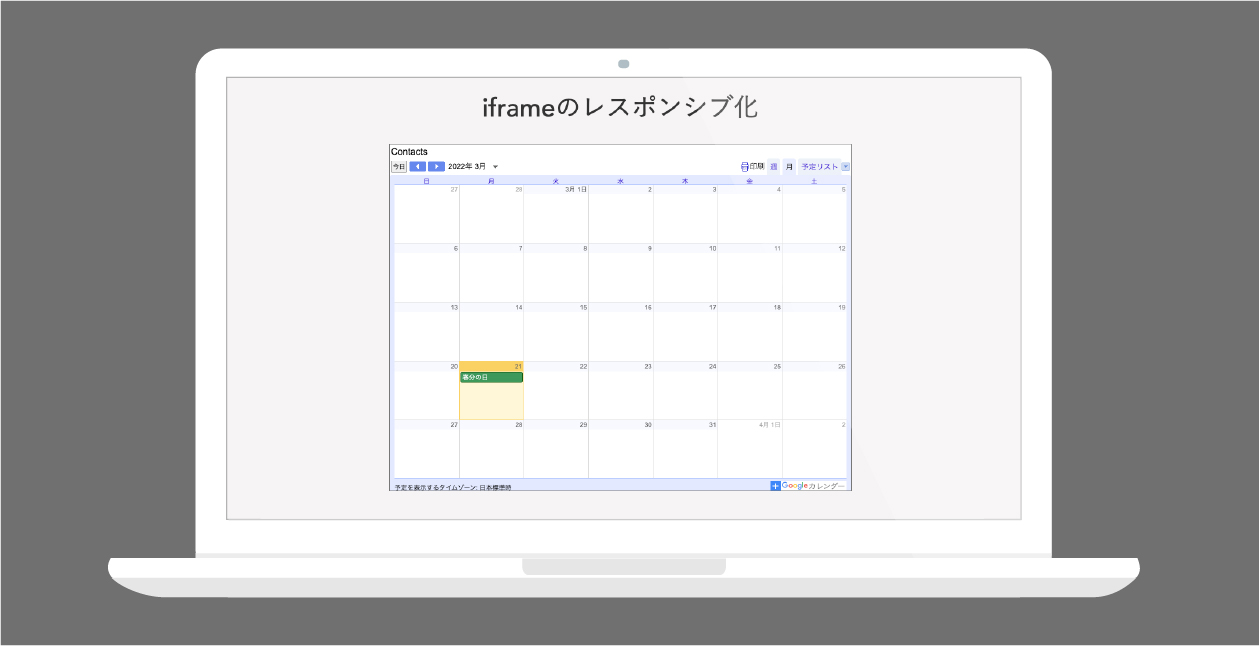
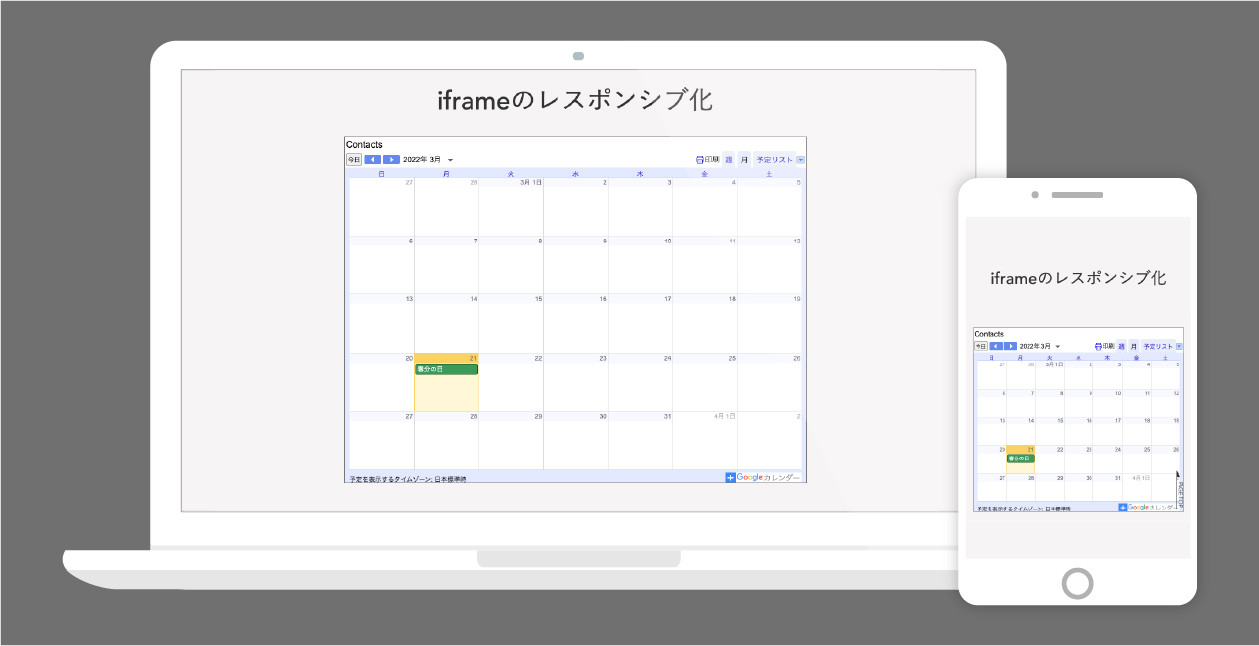
Before


After


埋め込み部分をレスポンシブ化します。


 使用テンプレート resposive_type24 見積工数（目安） 1時間～（カスタマイズの内容による） 作業内容 HTMLタグの追加 CSSの調整 </description>
<dc:creator></dc:creator>
<dc:subject></dc:subject>
<dc:date>2022-03-21T14:00:00+09:00</dc:date>
<content:encoded><![CDATA[
<h5 class="cms-content-parts-sin162277669299599300 custom-contents"><span class="custom-contents-title">カスタマイズ内容</span><span id="cms-editor-textarea-sin162277669299601900">iframeのレスポンシブ化</span></h5>
<h3 class="cms-content-parts-sin161847676837264400" id="cms-editor-textbox-sin161847676837266100">サンプル</h3>
<div class="cms-content-parts-sin164808909935348400" id="cms-editor-minieditor-sin164808909935383100"><!-- .parts_text_type01 -->
<p style="text-align: center;"><span style="color: rgb(153, 51, 102);">画像をクリックするとサンプルページへ移動します。</span></p>
<!-- // .parts_text_type01 --></div>
<div class="cms-content-parts-sin164786985844576800 caselist-imgBdr" data-selectable="cparts-animate cparts-animate--slideInUp:上へスライド,cparts-animate cparts-animate--slideInDown:下へスライド,cparts-animate cparts-animate--slideInLeft:左へスライド,cparts-animate cparts-animate--slideInRight:右へスライド" data-original="cms-content-parts-sin164786985844583000" data-custom="caselist-imgBdr"><!-- .parts_img_type11 -->
<div class="box clearfix">
<div class="parts_img_type11_box left">
<div class="cms-easy-edit" id="cms-editor-minieditor-sin164786985844584800">
<h4><a href="/custom/blog/cus22before/">Before</a></h4>
</div>
<div class="parts_img_type11_img"><a href="/custom/blog/cus22before/"><img class="cms-easy-edit" id="cms-editor-image-sin164786985844586500" src="https://custom.japan-cms.net/images/blog/cus22/before.jpg" name="" width="1259" height="646" alt="" /></a></div>
</div>
<div class="parts_img_type11_box right">
<div class="cms-easy-edit" id="cms-editor-minieditor-sin164786985844587600">
<h4><a href="/custom/blog/cus22after/">After</a></h4>
</div>
<div class="parts_img_type11_img"><a href="/custom/blog/cus22after/"><img class="cms-easy-edit" id="cms-editor-image-sin164786985844588600" src="https://custom.japan-cms.net/images/blog/cus22/after.jpg" name="" width="1280" height="655" alt="" /></a></div>
<div class="cms-content-parts-sin164786985844589800 custom-caption" id="cms-editor-minieditor-sin164786985844590900">
<p>埋め込み部分をレスポンシブ化します。</p>
</div>
</div>
</div>
<!-- // .parts_img_type11 --></div>
<div class="cms-content-parts-sin161847676837207200" id="cms-editor-minieditor-sin161847676837260100"><!-- .parts_tabel_type02 --> <table>     <tbody>         <tr>             <th width="20%"><p>使用テンプレート</p></th>             <td>resposive_type24</td>         </tr>         <tr>             <th>見積工数（目安）</th>             <td>1時間～（カスタマイズの内容による）</td>         </tr>         <tr>             <th>作業内容</th>             <td><ul>                 <li>HTMLタグの追加</li>                 <li>CSSの調整</li>             </ul></td>         </tr>     </tbody> </table> <!-- // .parts_tabel_type02 --></div>
]]></content:encoded>
</item>

<item rdf:about="https://custom.japan-cms.net/blog/2022/03/89501/">
<title>１９．【メールフォーム】設問を横並びで配置</title>
<link>https://custom.japan-cms.net/blog/2022/03/89501/</link>
<description>カスタマイズ内容設問を横並びで配置
サンプル

画像をクリックするとサンプルページへ移動します。


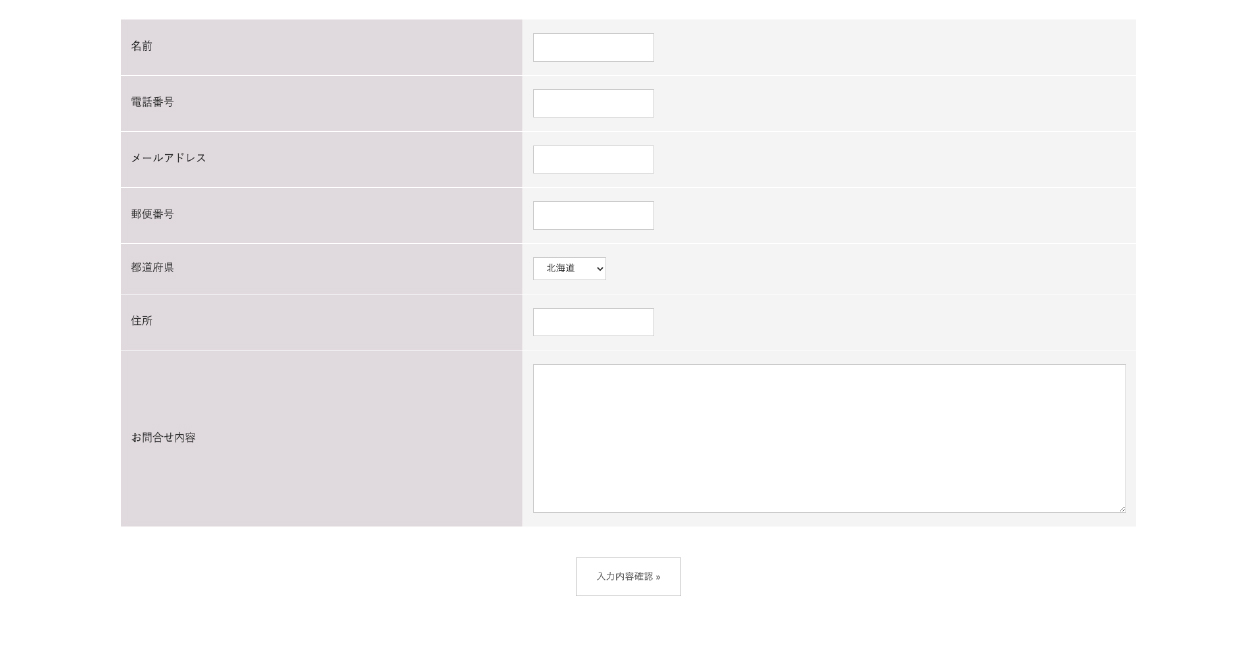
Before


After


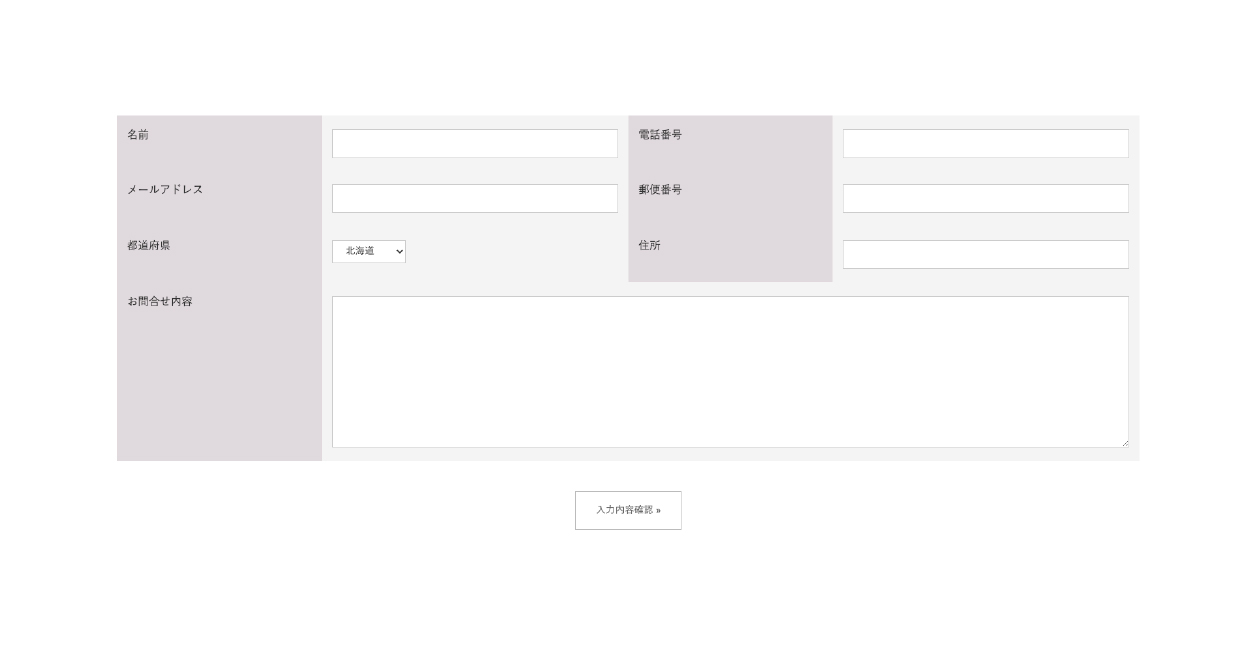
設問を横並びにして表示します。


 使用テンプレート resposive_type24 見積工数（目安） 1時間～（カスタマイズの内容による） 作業内容 CSSの調整 </description>
<dc:creator></dc:creator>
<dc:subject></dc:subject>
<dc:date>2022-03-20T23:00:00+09:00</dc:date>
<content:encoded><![CDATA[
<h5 class="cms-content-parts-sin162277669299599300 custom-contents"><span class="custom-contents-title">カスタマイズ内容</span><span id="cms-editor-textarea-sin162277669299601900">設問を横並びで配置</span></h5>
<h3 class="cms-content-parts-sin161847676837264400" id="cms-editor-textbox-sin161847676837266100">サンプル</h3>
<div class="cms-content-parts-sin164808958252640300" id="cms-editor-minieditor-sin164808958252675700"><!-- .parts_text_type01 -->
<p style="text-align: center;"><span style="color: rgb(153, 51, 102);">画像をクリックするとサンプルページへ移動します。</span></p>
<!-- // .parts_text_type01 --></div>
<div class="cms-content-parts-sin164786985844576800 caselist-imgBdr" data-selectable="cparts-animate cparts-animate--slideInUp:上へスライド,cparts-animate cparts-animate--slideInDown:下へスライド,cparts-animate cparts-animate--slideInLeft:左へスライド,cparts-animate cparts-animate--slideInRight:右へスライド" data-original="cms-content-parts-sin164786985844583000" data-custom="caselist-imgBdr"><!-- .parts_img_type11 -->
<div class="box clearfix">
<div class="parts_img_type11_box left">
<div class="cms-easy-edit" id="cms-editor-minieditor-sin164786985844584800">
<h4><a href="/custom/blog/cus21before/">Before</a></h4>
</div>
<div class="parts_img_type11_img"><a href="/custom/blog/cus21before/"><img class="cms-easy-edit" id="cms-editor-image-sin164786985844586500" src="https://custom.japan-cms.net/images/blog/cus21/before.jpg" name="" width="1259" height="646" alt="" /></a></div>
</div>
<div class="parts_img_type11_box right">
<div class="cms-easy-edit" id="cms-editor-minieditor-sin164786985844587600">
<h4><a href="/custom/blog/cus21after/">After</a></h4>
</div>
<div class="parts_img_type11_img"><a href="/custom/blog/cus21after/"><img class="cms-easy-edit" id="cms-editor-image-sin164786985844588600" src="https://custom.japan-cms.net/images/blog/cus21/after.jpg" name="" width="1280" height="655" alt="" /></a></div>
<div class="cms-content-parts-sin164786985844589800 custom-caption" id="cms-editor-minieditor-sin164786985844590900">
<p>設問を横並びにして表示します。</p>
</div>
</div>
</div>
<!-- // .parts_img_type11 --></div>
<div class="cms-content-parts-sin161847676837207200" id="cms-editor-minieditor-sin161847676837260100"><!-- .parts_tabel_type02 --> <table>     <tbody>         <tr>             <th width="20%"><p>使用テンプレート</p></th>             <td>resposive_type24</td>         </tr>         <tr>             <th>見積工数（目安）</th>             <td>1時間～（カスタマイズの内容による）</td>         </tr>         <tr>             <th>作業内容</th>             <td><ul>                 <li>CSSの調整</li>             </ul></td>         </tr>     </tbody> </table> <!-- // .parts_tabel_type02 --></div>
]]></content:encoded>
</item>

<item rdf:about="https://custom.japan-cms.net/blog/2021/07/89495/">
<title>１８．【テンプレート】ページアクセス時にポップアップ表示</title>
<link>https://custom.japan-cms.net/blog/2021/07/89495/</link>
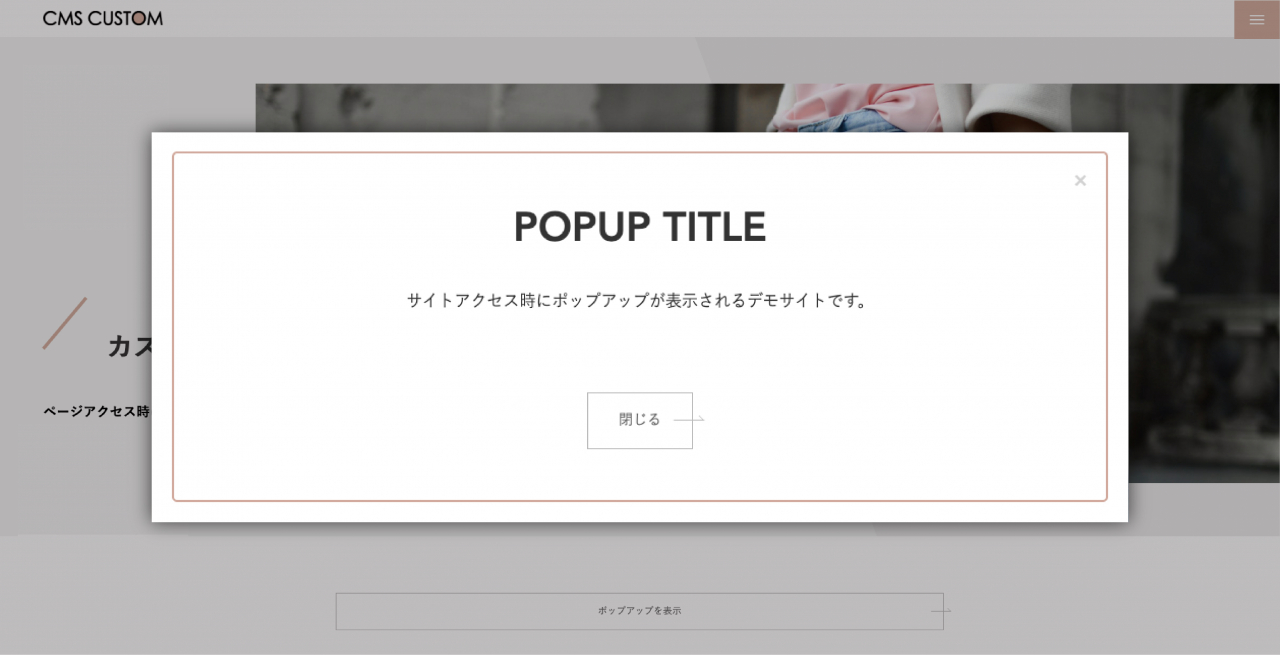
<description>カスタマイズ内容ページアクセス時にポップアップ表示
サンプル

画像をクリックするとサンプルページへ移動します。


 使用テンプレート resposive_type24 見積工数（目安） 1時間～（カスタマイズの内容による） 作業内容 フリーパーツの作成 CSSの調整 Javascriptの追加 </description>
<dc:creator></dc:creator>
<dc:subject></dc:subject>
<dc:date>2021-07-08T14:35:00+09:00</dc:date>
<content:encoded><![CDATA[
<h5 class="cms-content-parts-sin162277669299599300 custom-contents"><span class="custom-contents-title">カスタマイズ内容</span><span id="cms-editor-textarea-sin162277669299601900">ページアクセス時にポップアップ表示</span></h5>
<h3 class="cms-content-parts-sin161847676837264400" id="cms-editor-textbox-sin161847676837266100">サンプル</h3>
<div class="cms-content-parts-sin161973244537244200" id="cms-editor-minieditor-sin161973244537245400"><!-- .parts_text_type01 -->
<p style="text-align: center;"><span style="color: rgb(204, 51, 51);">画像をクリックするとサンプルページへ移動します。</span></p>
<!-- // .parts_text_type01 --></div>
<div class="cms-content-parts-sin161847676837267300 caselist-imgBdr caselist-afterOnly" data-selectable="cparts-animate cparts-animate--slideInUp:上へスライド,cparts-animate cparts-animate--slideInDown:下へスライド,cparts-animate cparts-animate--slideInLeft:左へスライド,cparts-animate cparts-animate--slideInRight:右へスライド" data-original="cms-content-parts-sin161847676837268700" data-custom="caselist-imgBdr caselist-afterOnly"><!-- .parts_img_type11 -->
<div class="box clearfix lay-row">
<div class="lay-col12-md-8">
<div class="parts_img_type11_img"><a href="/blog/cus20after/" rel="otherurl" target="_blank"><img alt="" class="cms-easy-edit" id="cms-editor-image-sin161847676837272500" src="https://custom.japan-cms.net/images/blog/cus20/after.jpg" title="" name="" /></a></div>
</div>
</div>
<!-- // .parts_img_type11 --></div>
<div class="cms-content-parts-sin161847676837207200" id="cms-editor-minieditor-sin161847676837260100"><!-- .parts_tabel_type02 --> <table>     <tbody>         <tr>             <th width="20%"><p>使用テンプレート</p></th>             <td>resposive_type24</td>         </tr>         <tr>             <th>見積工数（目安）</th>             <td>1時間～（カスタマイズの内容による）</td>         </tr>         <tr>             <th>作業内容</th>             <td><ul>                 <li>フリーパーツの作成</li>                 <li>CSSの調整</li>                 <li>Javascriptの追加</li>             </ul></td>         </tr>     </tbody> </table> <!-- // .parts_tabel_type02 --></div>
]]></content:encoded>
</item>

<item rdf:about="https://custom.japan-cms.net/blog/2021/07/89494/">
<title>１７．【トピックス】新着記事サイズ変更</title>
<link>https://custom.japan-cms.net/blog/2021/07/89494/</link>
<description>カスタマイズ内容新着記事サイズ変更
サンプル

画像をクリックするとサンプルページへ移動します。


Before


After


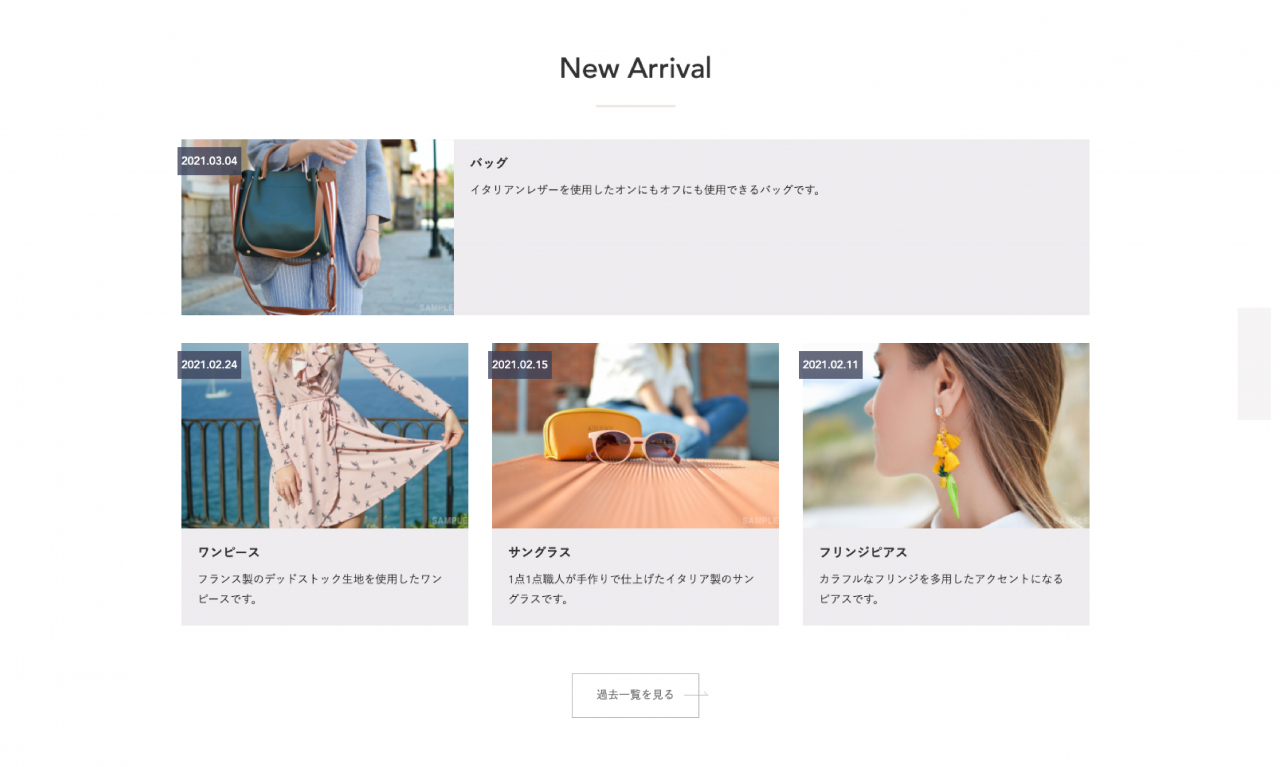
特定の記事を目立たせられます


 使用テンプレート responsive_type24 見積工数（目安） 1時間～（カスタマイズの内容による） 作業内容 CSSの調整 </description>
<dc:creator></dc:creator>
<dc:subject></dc:subject>
<dc:date>2021-07-07T17:55:00+09:00</dc:date>
<content:encoded><![CDATA[
<h5 class="cms-content-parts-sin162277474835555600 custom-contents"><span class="custom-contents-title">カスタマイズ内容</span><span id="cms-editor-textarea-sin162277474835558700">新着記事サイズ変更</span></h5>
<h3 class="cms-content-parts-sin161847438788582000" id="cms-editor-textbox-sin161847438788583000">サンプル</h3>
<div class="cms-content-parts-sin161973190826319100" id="cms-editor-minieditor-sin161973190826323300"><!-- .parts_text_type01 -->
<p style="text-align: center;"><font color="#cc3333">画像をクリックするとサンプルページへ移動します。</font></p>
<!-- // .parts_text_type01 --></div>
<div class="cms-content-parts-sin161847438788583400 caselist-imgBdr" data-selectable="cparts-animate cparts-animate--slideInUp:上へスライド,cparts-animate cparts-animate--slideInDown:下へスライド,cparts-animate cparts-animate--slideInLeft:左へスライド,cparts-animate cparts-animate--slideInRight:右へスライド" data-original="cms-content-parts-sin161847438788583800" data-custom="caselist-imgBdr"><!-- .parts_img_type11 -->
<div class="box clearfix">
<div class="parts_img_type11_box left">
<div class="cms-easy-edit" id="cms-editor-minieditor-sin161847438788584300">
<h4>Before</h4>
</div>
<div class="parts_img_type11_img"><a href="/custom/images/blog/cus19/before.jpg" rel="lightbox2[]" title=""><img alt="" class="cms-easy-edit" id="cms-editor-image-sin161847438788585100" src="https://custom.japan-cms.net/images/blog/cus19/before.jpg" title="" name="" width="330" /></a></div>
</div>
<div class="parts_img_type11_box right">
<div class="cms-easy-edit" id="cms-editor-minieditor-sin161847438788585100">
<h4><a href="/custom/blog/cus19after/">After</a></h4>
</div>
<div class="parts_img_type11_img"><a href="/custom/blog/cus19after/"><img alt="" class="cms-easy-edit" id="cms-editor-image-sin161847438788585900" src="https://custom.japan-cms.net/images/blog/cus19/after.jpg" title="" name="" width="330" /></a></div>
<div class="cms-easy-edit custom-caption" id="cms-editor-minieditor-sin162251562985754400">
<p><b>特定の記事を目立たせられます</b></p>
</div>
</div>
</div>
<!-- // .parts_img_type11 --></div>
<div class="cms-content-parts-sin161847438788579900" id="cms-editor-minieditor-sin161847438788581500"><!-- .parts_tabel_type02 --> <table>     <tbody>         <tr>             <th width="20%"><p>使用テンプレート</p></th>             <td>responsive_type24</td>         </tr>         <tr>             <th>見積工数（目安）</th>             <td><p>1時間～（カスタマイズの内容による）</p></td>         </tr>         <tr>             <th>作業内容</th>             <td><ul>                 <li>CSSの調整</li>             </ul></td>         </tr>     </tbody> </table> <!-- // .parts_tabel_type02 --></div>
]]></content:encoded>
</item>

<item rdf:about="https://custom.japan-cms.net/blog/2021/07/89493/">
<title>１６．【ブログ】新着エントリーをスライド表示</title>
<link>https://custom.japan-cms.net/blog/2021/07/89493/</link>
<description>カスタマイズ内容新着エントリーをスライド表示
サンプル

画像をクリックするとサンプルページへ移動します。


Before


After


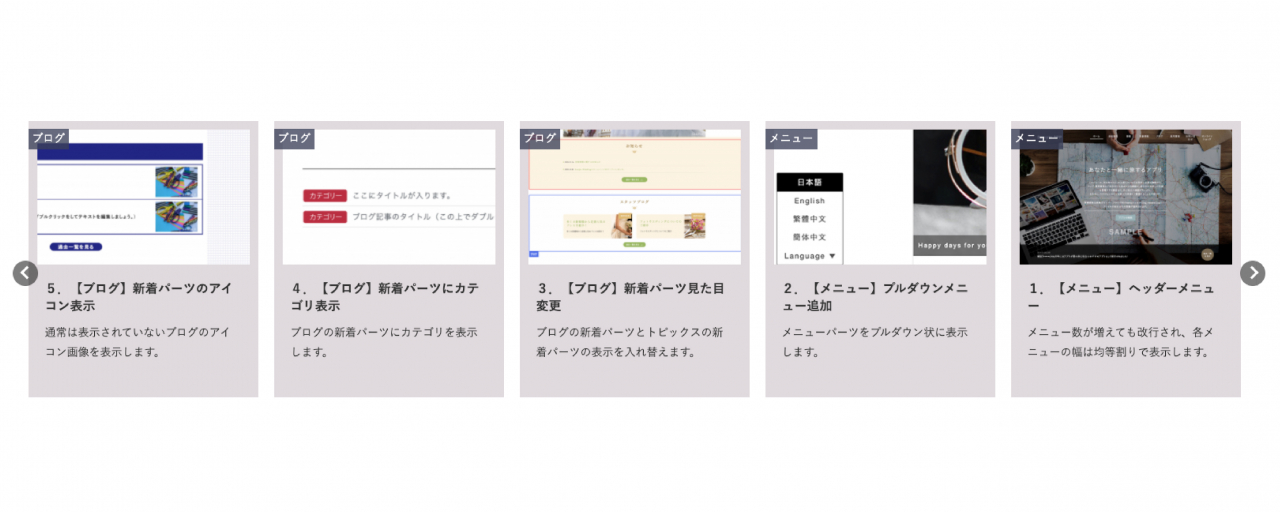
サイトに動きをつけることができます


 使用テンプレート responsive_type24 見積工数（目安） 2時間～（カスタマイズの内容による） 作業内容 テンプレートのHTMLファイルにモジュールタグを追加し、カスタマイズ CSSの調整 Javascriptの追加 </description>
<dc:creator></dc:creator>
<dc:subject></dc:subject>
<dc:date>2021-07-07T17:55:00+09:00</dc:date>
<content:encoded><![CDATA[
<h5 class="cms-content-parts-sin162277474835555600 custom-contents"><span class="custom-contents-title">カスタマイズ内容</span><span id="cms-editor-textarea-sin162277474835558700">新着エントリーをスライド表示</span></h5>
<h3 class="cms-content-parts-sin161847438788582000" id="cms-editor-textbox-sin161847438788583000">サンプル</h3>
<div class="cms-content-parts-sin161973190826319100" id="cms-editor-minieditor-sin161973190826323300"><!-- .parts_text_type01 -->
<p style="text-align: center;"><font color="#cc3333">画像をクリックするとサンプルページへ移動します。</font></p>
<!-- // .parts_text_type01 --></div>
<div class="cms-content-parts-sin161847438788583400 caselist-imgBdr" data-selectable="cparts-animate cparts-animate--slideInUp:上へスライド,cparts-animate cparts-animate--slideInDown:下へスライド,cparts-animate cparts-animate--slideInLeft:左へスライド,cparts-animate cparts-animate--slideInRight:右へスライド" data-original="cms-content-parts-sin161847438788583800" data-custom="caselist-imgBdr"><!-- .parts_img_type11 -->
<div class="box clearfix">
<div class="parts_img_type11_box left">
<div class="cms-easy-edit" id="cms-editor-minieditor-sin161847438788584300">
<h4>Before</h4>
</div>
<div class="parts_img_type11_img"><a href="/custom/images/blog/cus18/before.jpg" rel="lightbox2[]" title=""><img alt="" class="cms-easy-edit" id="cms-editor-image-sin161847438788585100" src="https://custom.japan-cms.net/images/blog/cus18/before.jpg" title="" name="" width="330" /></a></div>
</div>
<div class="parts_img_type11_box right">
<div class="cms-easy-edit" id="cms-editor-minieditor-sin161847438788585100">
<h4><a href="/custom/blog/cus18after/">After</a></h4>
</div>
<div class="parts_img_type11_img"><a href="/custom/blog/cus18after/"><img alt="" class="cms-easy-edit" id="cms-editor-image-sin161847438788585900" src="https://custom.japan-cms.net/images/blog/cus18/after.jpg" title="" name="" width="330" /></a></div>
<div class="cms-easy-edit custom-caption" id="cms-editor-minieditor-sin162251562985754400">
<p><b>サイトに動きをつけることができます</b></p>
</div>
</div>
</div>
<!-- // .parts_img_type11 --></div>
<div class="cms-content-parts-sin161847438788579900" id="cms-editor-minieditor-sin161847438788581500"><!-- .parts_tabel_type02 --> <table>     <tbody>         <tr>             <th width="20%"><p>使用テンプレート</p></th>             <td>responsive_type24</td>         </tr>         <tr>             <th>見積工数（目安）</th>             <td>2時間～（カスタマイズの内容による）</td>         </tr>         <tr>             <th>作業内容</th>             <td><ul>                 <li>テンプレートのHTMLファイルにモジュールタグを追加し、カスタマイズ</li>                 <li>CSSの調整</li>                 <li>Javascriptの追加</li>             </ul></td>         </tr>     </tbody> </table> <!-- // .parts_tabel_type02 --></div>
]]></content:encoded>
</item>

<item rdf:about="https://custom.japan-cms.net/blog/2021/07/89492/">
<title>１５．【ブログ】記事検索機能</title>
<link>https://custom.japan-cms.net/blog/2021/07/89492/</link>
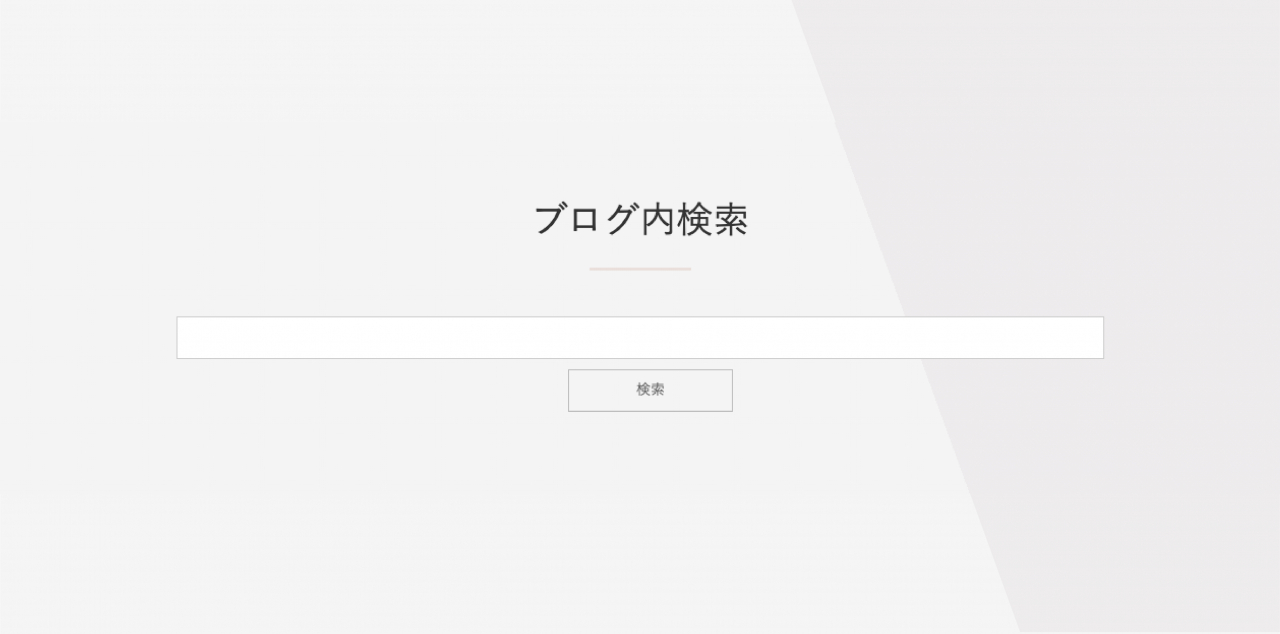
<description>カスタマイズ内容ブログのカテゴリーを利用した検索機能を搭載します
サンプル

Afterをクリックするとサンプルページへ移動します。


Before


After


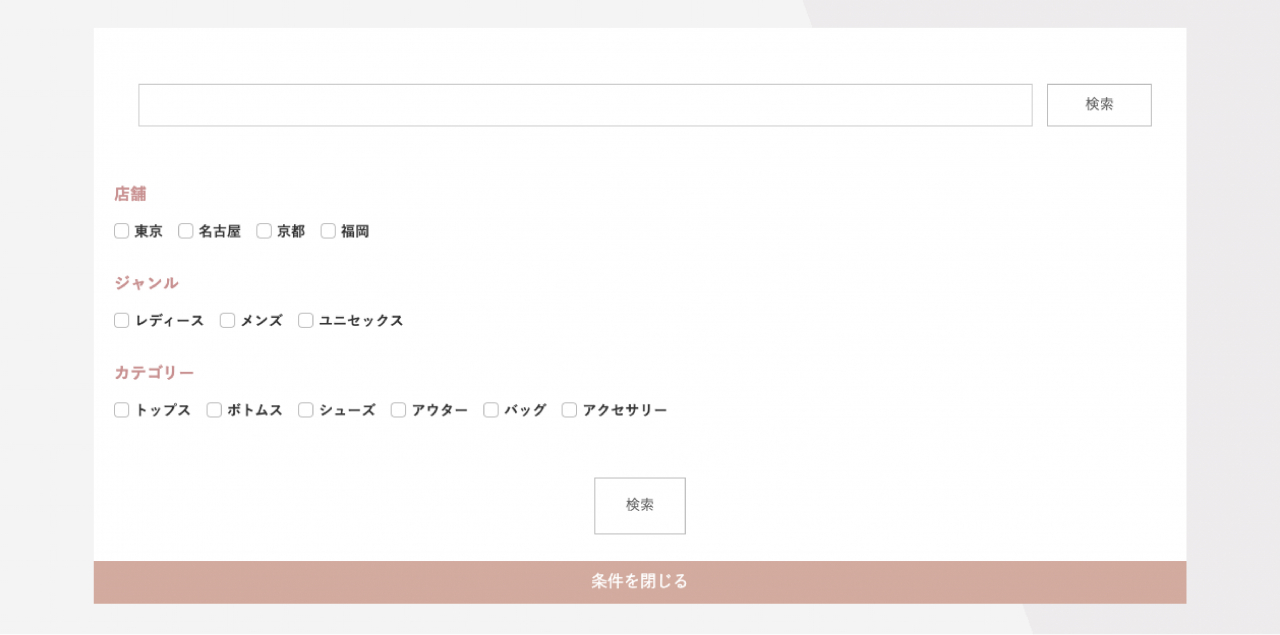
ユーザーの目的ページへ誘導しやすくなります


 使用テンプレート responsive_type24 見積工数（目安） 3時間～（カスタマイズの内容による） 作業内容 テンプレートのHTMLファイルにモジュールタグを追加し、カスタマイズ CSSの調整 Javascriptの追加 </description>
<dc:creator></dc:creator>
<dc:subject></dc:subject>
<dc:date>2021-07-07T17:55:00+09:00</dc:date>
<content:encoded><![CDATA[
<h5 class="cms-content-parts-sin162277474835555600 custom-contents"><span class="custom-contents-title">カスタマイズ内容</span><span id="cms-editor-textarea-sin162277474835558700">ブログのカテゴリーを利用した検索機能を搭載します</span></h5>
<h3 class="cms-content-parts-sin161847438788582000" id="cms-editor-textbox-sin161847438788583000">サンプル</h3>
<div class="cms-content-parts-sin161973190826319100" id="cms-editor-minieditor-sin161973190826323300"><!-- .parts_text_type01 -->
<p style="text-align: center;"><font color="#cc3333">Afterをクリックするとサンプルページへ移動します。</font></p>
<!-- // .parts_text_type01 --></div>
<div class="cms-content-parts-sin161847438788583400 caselist-imgBdr" data-selectable="cparts-animate cparts-animate--slideInUp:上へスライド,cparts-animate cparts-animate--slideInDown:下へスライド,cparts-animate cparts-animate--slideInLeft:左へスライド,cparts-animate cparts-animate--slideInRight:右へスライド" data-original="cms-content-parts-sin161847438788583800" data-custom="caselist-imgBdr"><!-- .parts_img_type11 -->
<div class="box clearfix">
<div class="parts_img_type11_box left">
<div class="cms-easy-edit" id="cms-editor-minieditor-sin161847438788584300">
<h4>Before</h4>
</div>
<div class="parts_img_type11_img"><a href="/custom/images/blog/cus17/before.jpg" rel="lightbox2[]" title=""><img alt="" class="cms-easy-edit" id="cms-editor-image-sin161847438788585100" src="https://custom.japan-cms.net/images/blog/cus17/before.jpg" title="" name="" width="330" /></a></div>
</div>
<div class="parts_img_type11_box right">
<div class="cms-easy-edit" id="cms-editor-minieditor-sin161847438788585100">
<h4><a href="/custom/blog/cus17after/">After</a></h4>
</div>
<div class="parts_img_type11_img"><a href="/custom/blog/cus17after/"><img alt="" class="cms-easy-edit" id="cms-editor-image-sin161847438788585900" src="https://custom.japan-cms.net/images/blog/cus17/after.jpg" title="" name="" width="330" /></a></div>
<div class="cms-easy-edit custom-caption" id="cms-editor-minieditor-sin162251562985754400">
<p><b>ユーザーの目的ページへ誘導しやすくなります</b></p>
</div>
</div>
</div>
<!-- // .parts_img_type11 --></div>
<div class="cms-content-parts-sin161847438788579900" id="cms-editor-minieditor-sin161847438788581500"><!-- .parts_tabel_type02 --> <table>     <tbody>         <tr>             <th width="20%"><p>使用テンプレート</p></th>             <td>responsive_type24</td>         </tr>         <tr>             <th>見積工数（目安）</th>             <td>3時間～（カスタマイズの内容による）</td>         </tr>         <tr>             <th>作業内容</th>             <td><ul>                 <li>テンプレートのHTMLファイルにモジュールタグを追加し、カスタマイズ</li>                 <li>CSSの調整</li>                 <li>Javascriptの追加</li>             </ul></td>         </tr>     </tbody> </table> <!-- // .parts_tabel_type02 --></div>
]]></content:encoded>
</item>

<item rdf:about="https://custom.japan-cms.net/blog/2021/07/89491/">
<title>１４．【トピックス】一覧記事を2列表示</title>
<link>https://custom.japan-cms.net/blog/2021/07/89491/</link>
<description>カスタマイズ内容通常1列表示の一覧記事を2列で表示する
サンプル

画像をクリックすると拡大表示します。


Before


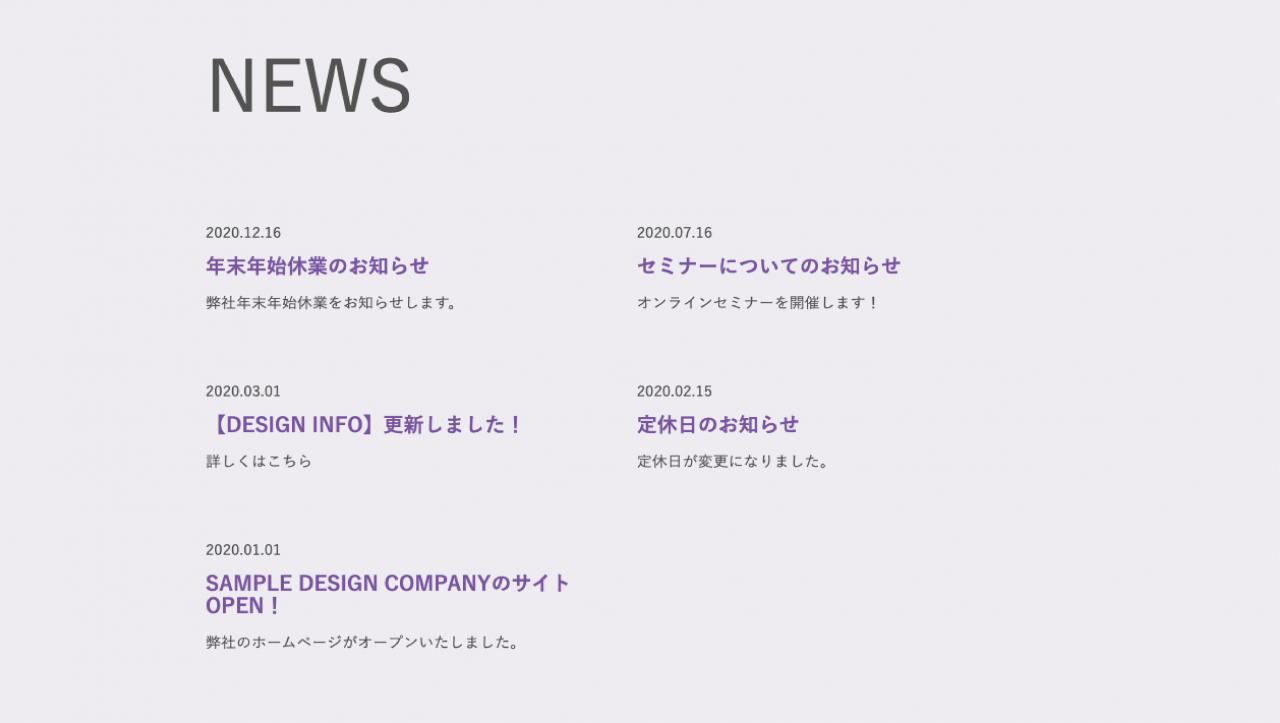
After


ページ内の余白が少なくなり、まとまりが出ます


 使用テンプレート resposive_type22 見積工数（目安） 1時間～（カスタマイズの内容による） 作業内容 CSSの調整 </description>
<dc:creator></dc:creator>
<dc:subject></dc:subject>
<dc:date>2021-07-07T17:55:00+09:00</dc:date>
<content:encoded><![CDATA[
<h5 class="cms-content-parts-sin162277618718806200 custom-contents"><span class="custom-contents-title">カスタマイズ内容</span><span id="cms-editor-textarea-sin162277618718809100">通常1列表示の一覧記事を2列で表示する</span></h5>
<h3 class="cms-content-parts-sin161847195788816200" id="cms-editor-textbox-sin161847195788819600">サンプル</h3>
<div class="cms-content-parts-sin161973179535828700" id="cms-editor-minieditor-sin161973179535831600"><!-- .parts_text_type01 -->
<p style="text-align: center;"><span style="color: rgb(204, 51, 51);">画像をクリックすると拡大表示します。</span></p>
<!-- // .parts_text_type01 --></div>
<div class="cms-content-parts-sin161847195788821100 caselist-imgBdr" data-selectable="cparts-animate cparts-animate--slideInUp:上へスライド,cparts-animate cparts-animate--slideInDown:下へスライド,cparts-animate cparts-animate--slideInLeft:左へスライド,cparts-animate cparts-animate--slideInRight:右へスライド" data-original="cms-content-parts-sin161847195788823600" data-custom="caselist-imgBdr"><!-- .parts_img_type11 -->
<div class="box clearfix">
<div class="parts_img_type11_box left">
<div class="cms-easy-edit" id="cms-editor-minieditor-sin161847195788825200">
<h4>Before</h4>
</div>
<div class="parts_img_type11_img"><a href="/custom/images/blog/cus16/before.jpg" rel="lightbox2[]" title=""><img alt="" class="cms-easy-edit" id="cms-editor-image-sin161847195788824000" src="https://custom.japan-cms.net/images/blog/cus16/before.jpg" title="" name="" width="330" /></a></div>
</div>
<div class="parts_img_type11_box right">
<div class="cms-easy-edit" id="cms-editor-minieditor-sin161847195788828400">
<h4>After</h4>
</div>
<div class="parts_img_type11_img"><a href="/custom/images/blog/cus16/after.jpg" rel="lightbox2[]" title=""><img alt="" class="cms-easy-edit" id="cms-editor-image-sin161847195788826900" src="https://custom.japan-cms.net/images/blog/cus16/after.jpg" title="" name="" width="330" /></a></div>
<div class="cms-easy-edit custom-caption" id="cms-editor-minieditor-sin162251562985754403">
<p>ページ内の余白が少なくなり、まとまりが出ます</p>
</div>
</div>
</div>
<!-- // .parts_img_type11 --></div>
<div class="cms-content-parts-sin161847195788792600" id="cms-editor-minieditor-sin161847195788814000"><!-- .parts_tabel_type02 --> <table>     <tbody>         <tr>             <th width="20%"><p>使用テンプレート</p></th>             <td>resposive_type22</td>         </tr>         <tr>             <th>見積工数（目安）</th>             <td>1時間～（カスタマイズの内容による）</td>         </tr>         <tr>             <th>作業内容</th>             <td><ul>                 <li>CSSの調整</li>             </ul></td>         </tr>     </tbody> </table> <!-- // .parts_tabel_type02 --></div>
]]></content:encoded>
</item>

<item rdf:about="https://custom.japan-cms.net/blog/2021/07/89490/">
<title>１３．【ブログ】エントリーアイコンにカテゴリー追加</title>
<link>https://custom.japan-cms.net/blog/2021/07/89490/</link>
<description>カスタマイズ内容ブログ記事のエントリーアイコンにカテゴリーを表示
サンプル

画像をクリックすると拡大表示します。


Before


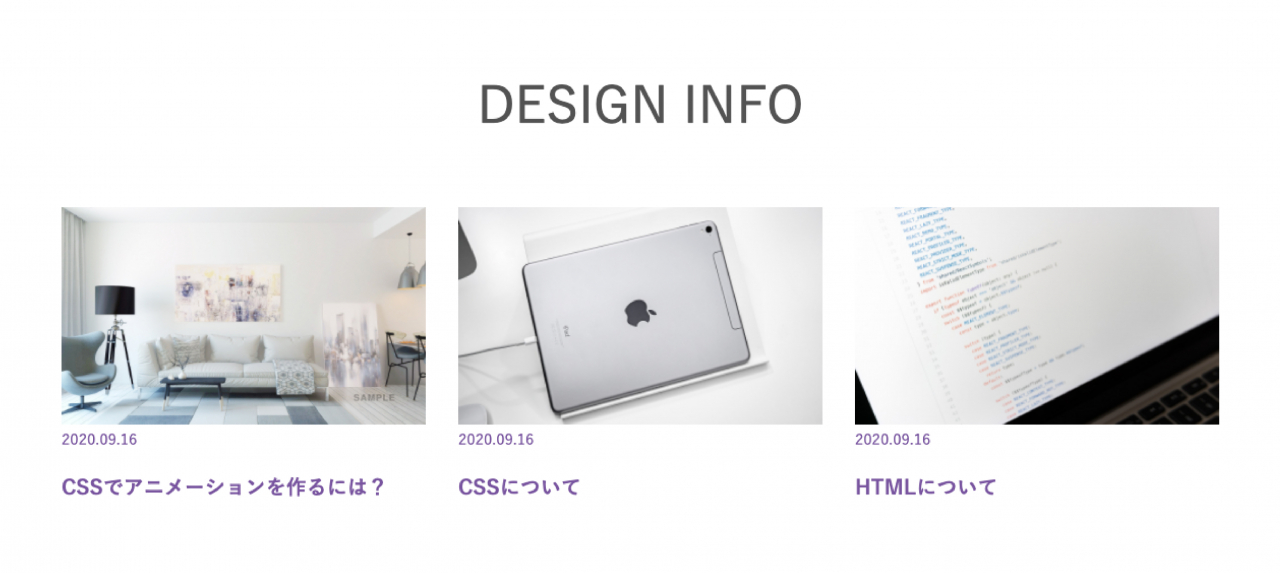
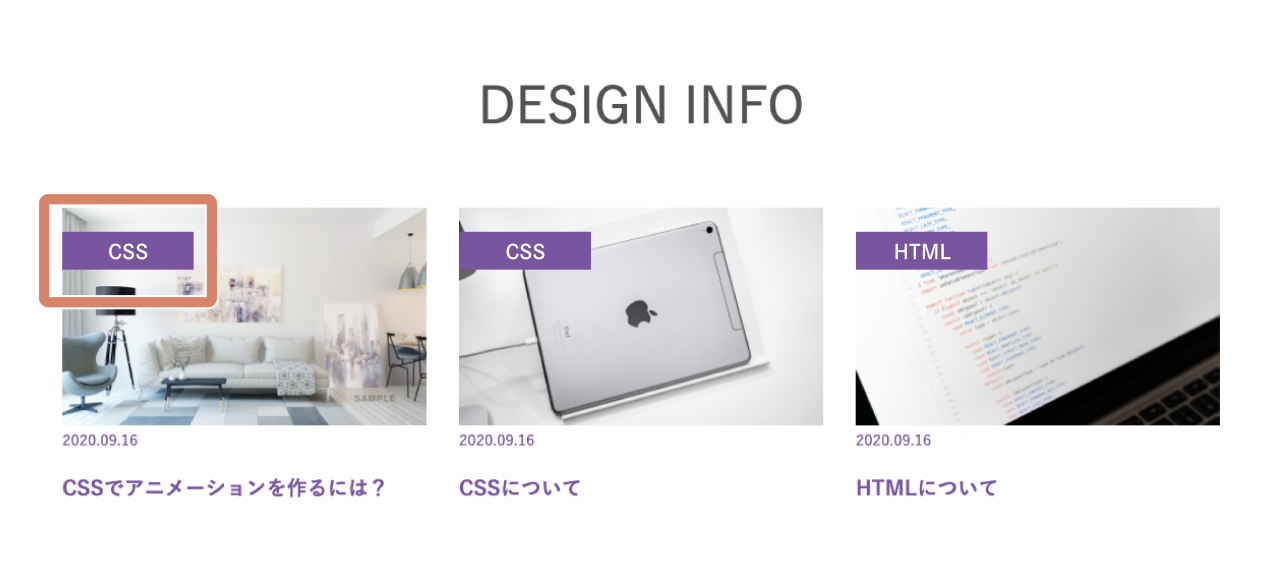
After


記事のカテゴリーがひと目でわかります


 使用テンプレート resposive_type22 見積工数（目安） 1時間 ～ （カスタマイズ内容による） 作業内容 テンプレートのHTMLファイルにモジュールタグを追加し、カスタマイズ CSSの調整 </description>
<dc:creator></dc:creator>
<dc:subject></dc:subject>
<dc:date>2021-07-07T17:50:00+09:00</dc:date>
<content:encoded><![CDATA[
<h5 class="cms-content-parts-sin162277618718806200 custom-contents"><span class="custom-contents-title">カスタマイズ内容</span><span id="cms-editor-textarea-sin162277618718809100">ブログ記事のエントリーアイコンにカテゴリーを表示</span></h5>
<h3 class="cms-content-parts-sin161847195788816200" id="cms-editor-textbox-sin161847195788819600">サンプル</h3>
<div class="cms-content-parts-sin161973179535828700" id="cms-editor-minieditor-sin161973179535831600"><!-- .parts_text_type01 -->
<p style="text-align: center;"><span style="color: rgb(204, 51, 51);">画像をクリックすると拡大表示します。</span></p>
<!-- // .parts_text_type01 --></div>
<div class="cms-content-parts-sin161847195788821100 caselist-imgBdr" data-selectable="cparts-animate cparts-animate--slideInUp:上へスライド,cparts-animate cparts-animate--slideInDown:下へスライド,cparts-animate cparts-animate--slideInLeft:左へスライド,cparts-animate cparts-animate--slideInRight:右へスライド" data-original="cms-content-parts-sin161847195788823600" data-custom="caselist-imgBdr"><!-- .parts_img_type11 -->
<div class="box clearfix">
<div class="parts_img_type11_box left">
<div class="cms-easy-edit" id="cms-editor-minieditor-sin161847195788825200">
<h4>Before</h4>
</div>
<div class="parts_img_type11_img"><a href="/custom/images/blog/cus15/before.jpg" rel="lightbox2[]" title=""><img alt="" class="cms-easy-edit" id="cms-editor-image-sin161847195788824000" src="https://custom.japan-cms.net/images/blog/cus15/before.jpg" title="" name="" width="330" /></a></div>
</div>
<div class="parts_img_type11_box right">
<div class="cms-easy-edit" id="cms-editor-minieditor-sin161847195788828400">
<h4>After</h4>
</div>
<div class="parts_img_type11_img"><a href="/custom/images/blog/cus15/after.jpg" rel="lightbox2[]" title=""><img alt="" class="cms-easy-edit" id="cms-editor-image-sin161847195788826900" src="https://custom.japan-cms.net/images/blog/cus15/after.jpg" title="" name="" width="330" /></a></div>
<div class="cms-easy-edit custom-caption" id="cms-editor-minieditor-sin162251562985754403">
<p>記事のカテゴリーがひと目でわかります</p>
</div>
</div>
</div>
<!-- // .parts_img_type11 --></div>
<div class="cms-content-parts-sin161847195788792600" id="cms-editor-minieditor-sin161847195788814000"><!-- .parts_tabel_type02 --> <table>     <tbody>         <tr>             <th width="20%"><p>使用テンプレート</p></th>             <td>resposive_type22</td>         </tr>         <tr>             <th>見積工数（目安）</th>             <td>1時間 ～ （カスタマイズ内容による）</td>         </tr>         <tr>             <th>作業内容</th>             <td><ul>                 <li>テンプレートのHTMLファイルにモジュールタグを追加し、カスタマイズ</li>                 <li>CSSの調整</li>             </ul></td>         </tr>     </tbody> </table> <!-- // .parts_tabel_type02 --></div>
]]></content:encoded>
</item>

<item rdf:about="https://custom.japan-cms.net/blog/2021/07/89489/">
<title>１２．【スライダー】ボタンデザイン変更</title>
<link>https://custom.japan-cms.net/blog/2021/07/89489/</link>
<description>カスタマイズ内容スライダーに表示される矢印ボタンのデザイン変更
サンプル

画像をクリックすると拡大表示します。


Before


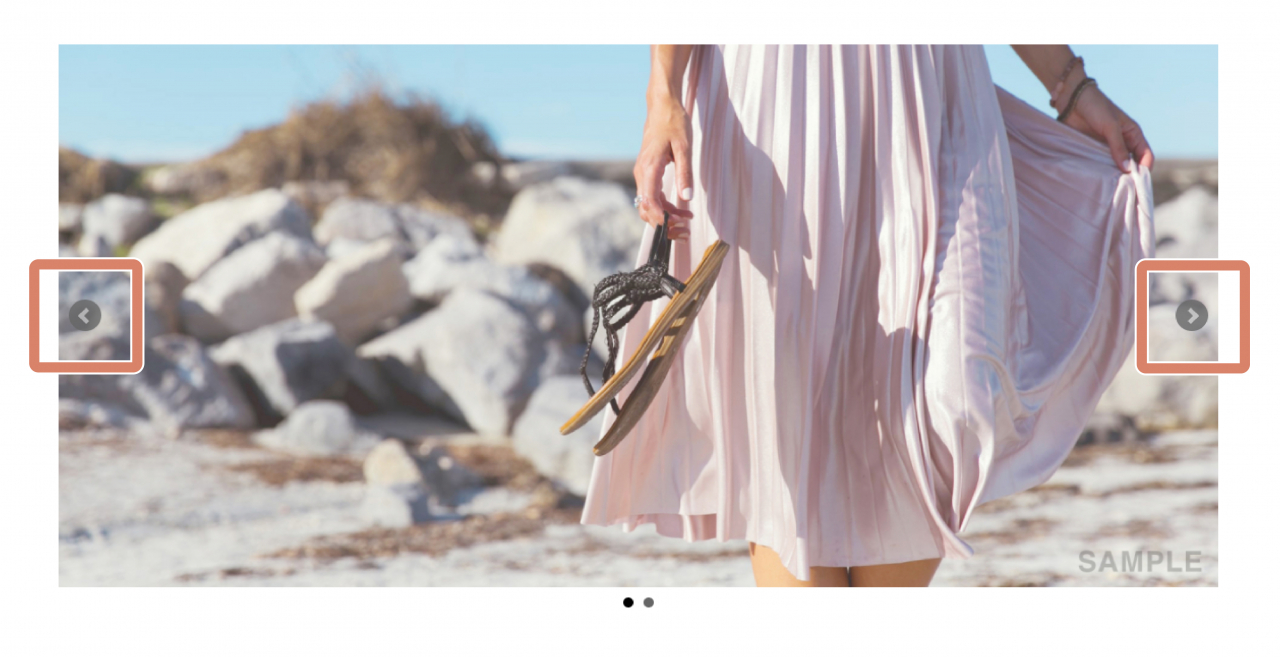
After


様々なボタンデザインに対応可能です。ご相談ください。


 使用テンプレート
 
 resposive_type24
 
 
 見積工数（目安）
 1時間
 
 
 作業内容
 
 
 ボタン画像の変更
 CSSの調整


</description>
<dc:creator></dc:creator>
<dc:subject></dc:subject>
<dc:date>2021-07-07T17:50:00+09:00</dc:date>
<content:encoded><![CDATA[
<h5 class="cms-content-parts-sin162278221698453400 custom-contents"><span class="custom-contents-title">カスタマイズ内容</span><span id="cms-editor-textarea-sin162278221698456300">スライダーに表示される矢印ボタンのデザイン変更</span></h5>
<h3 class="cms-content-parts-sin161846357525204200" id="cms-editor-textbox-sin161846357525207400">サンプル</h3>
<div class="cms-content-parts-sin161973240487102900" id="cms-editor-minieditor-sin161973240487104000"><!-- .parts_text_type01 -->
<p style="text-align: center;"><font color="#cc3333">画像をクリックすると拡大表示します。</font></p>
<!-- // .parts_text_type01 --></div>
<div class="cms-content-parts-sin161846361060482000 caselist-imgBdr" data-selectable="cparts-animate cparts-animate--slideInUp:上へスライド,cparts-animate cparts-animate--slideInDown:下へスライド,cparts-animate cparts-animate--slideInLeft:左へスライド,cparts-animate cparts-animate--slideInRight:右へスライド" data-original="cms-content-parts-sin161846361060482000" data-custom="caselist-imgBdr"><!-- .parts_img_type11 -->
<div class="box clearfix">
<div class="parts_img_type11_box left">
<div class="cms-easy-edit" id="cms-editor-minieditor-sin161846361060525000">
<h4>Before</h4>
</div>
<div class="parts_img_type11_img"><a href="/custom/images/blog/cus14/before.jpg" rel="lightbox2[]" title="" target="_blank"><img class="cms-easy-edit" id="cms-editor-image-sin161846361060483200" src="https://custom.japan-cms.net/images/blog/cus14/before.jpg" name="" width="330" alt="" /></a></div>
</div>
<div class="parts_img_type11_box right">
<div class="cms-easy-edit" id="cms-editor-minieditor-sin161846361060534900">
<h4>After</h4>
</div>
<div class="parts_img_type11_img"><a href="/custom/images/blog/cus14/after.jpg" rel="lightbox2[]" title="" target="_blank"><img class="cms-easy-edit" id="cms-editor-image-sin161846361060531000" src="https://custom.japan-cms.net/images/blog/cus14/after.jpg" name="" width="330" alt="" /></a></div>
<div class="custom-caption" id="cms-editor-minieditor-sin162251562985754403">
<p>様々なボタンデザインに対応可能です。ご相談ください。</p>
</div>
</div>
</div>
<!-- // .parts_img_type11 --></div>
<div class="cms-content-parts-sin161846345188292500" id="cms-editor-minieditor-sin161846345188294600"><!-- .parts_tabel_type02 -->
<table>
    <tbody>
        <tr>
            <th width="20%">
            <p>使用テンプレート</p>
            </th>
            <td>resposive_type24</td>
        </tr>
        <tr>
            <th>見積工数（目安）</th>
            <td>1時間</td>
        </tr>
        <tr>
            <th>作業内容</th>
            <td>
            <ul>
                <li>ボタン画像の変更</li>
                <li>CSSの調整</li>
            </ul>
            </td>
        </tr>
    </tbody>
</table>
<!-- // .parts_tabel_type02 --></div>
]]></content:encoded>
</item>

<item rdf:about="https://custom.japan-cms.net/blog/2021/07/89488/">
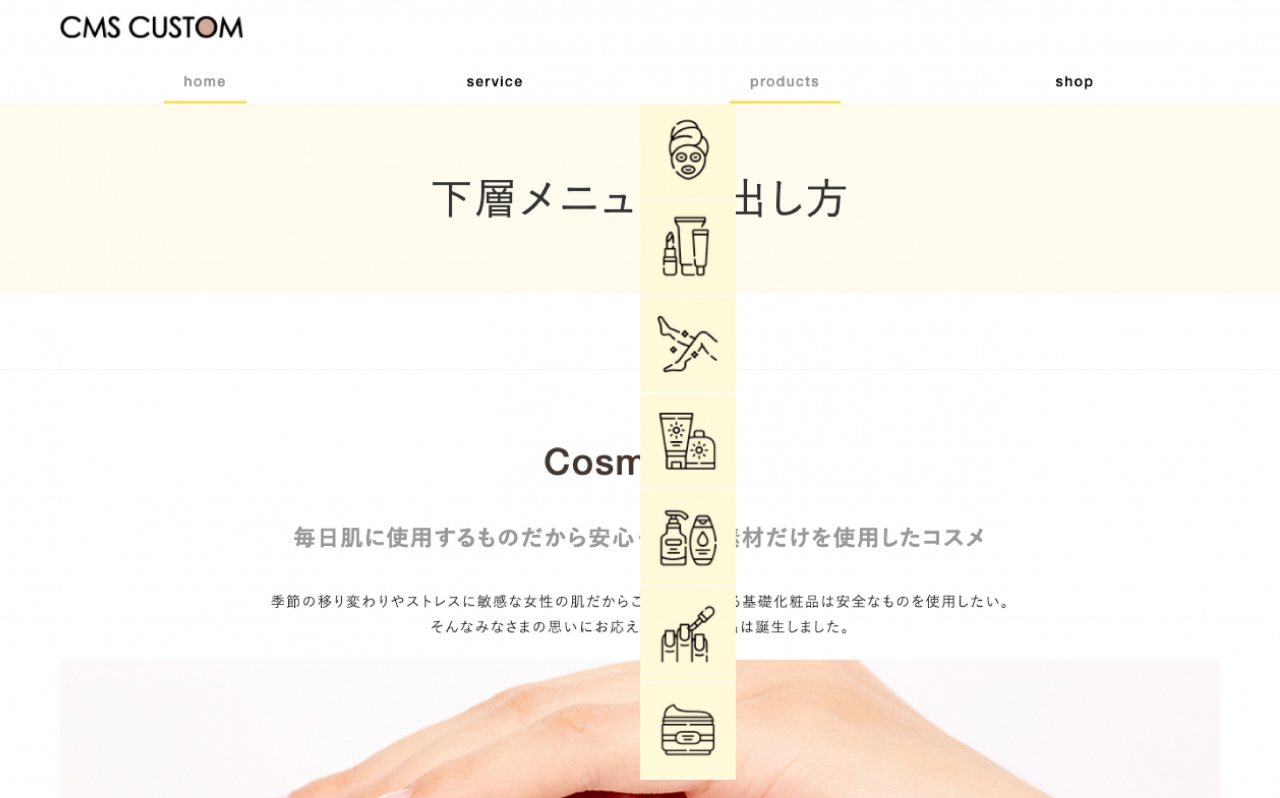
<title>１１．【メニュー】下層メニューのマウスオーバー表示</title>
<link>https://custom.japan-cms.net/blog/2021/07/89488/</link>
<description>カスタマイズ内容HEADERブロックのメニューパーツの2階層目が、ドロップダウンでバナー画像とメニュー名が均等の列幅で表示されるように対応。
サンプル

Afterをクリックするとサンプルページへ移動します。


Before


After


画像とテキストを組み合わせることも可能です


 使用テンプレート responsive_type06 見積工数（目安） 1時間～（カスタマイズの内容による） 作業内容 テンプレートのHTMLファイルのモジュールタグをカスタマイズ CSSの調整 </description>
<dc:creator></dc:creator>
<dc:subject></dc:subject>
<dc:date>2021-07-07T17:40:00+09:00</dc:date>
<content:encoded><![CDATA[
<h5 class="cms-content-parts-sin162277474835555600 custom-contents"><span class="custom-contents-title">カスタマイズ内容</span><span id="cms-editor-textarea-sin162277474835558700">HEADERブロックのメニューパーツの2階層目が、ドロップダウンでバナー画像とメニュー名が均等の列幅で表示されるように対応。</span></h5>
<h3 class="cms-content-parts-sin161847438788582000" id="cms-editor-textbox-sin161847438788583000">サンプル</h3>
<div class="cms-content-parts-sin161973190826319100" id="cms-editor-minieditor-sin161973190826323300"><!-- .parts_text_type01 -->
<p style="text-align: center;"><font color="#cc3333">Afterをクリックするとサンプルページへ移動します。</font></p>
<!-- // .parts_text_type01 --></div>
<div class="cms-content-parts-sin161847438788583400 caselist-imgBdr" data-selectable="cparts-animate cparts-animate--slideInUp:上へスライド,cparts-animate cparts-animate--slideInDown:下へスライド,cparts-animate cparts-animate--slideInLeft:左へスライド,cparts-animate cparts-animate--slideInRight:右へスライド" data-original="cms-content-parts-sin161847438788583800" data-custom="caselist-imgBdr"><!-- .parts_img_type11 -->
<div class="box clearfix">
<div class="parts_img_type11_box left">
<div class="cms-easy-edit" id="cms-editor-minieditor-sin161847438788584300">
<h4>Before</h4>
</div>
<div class="parts_img_type11_img"><a href="/custom/images/blog/cus13/before.jpg" rel="lightbox2[]" title=""><img alt="" class="cms-easy-edit" id="cms-editor-image-sin161847438788585100" src="https://custom.japan-cms.net/images/blog/cus13/before.jpg" title="" name="" width="330" /></a></div>
</div>
<div class="parts_img_type11_box right">
<div class="cms-easy-edit" id="cms-editor-minieditor-sin161847438788585100">
<h4><a href="/custom/blog/cus13after/">After</a></h4>
</div>
<div class="parts_img_type11_img"><a href="/custom/blog/cus13after/"><img alt="" class="cms-easy-edit" id="cms-editor-image-sin161847438788585900" src="https://custom.japan-cms.net/images/blog/cus13/after.jpg" title="" name="" width="330" /></a></div>
<div class="cms-easy-edit custom-caption" id="cms-editor-minieditor-sin162251562985754400">
<p><b>画像とテキストを組み合わせることも可能です</b></p>
</div>
</div>
</div>
<!-- // .parts_img_type11 --></div>
<div class="cms-content-parts-sin161847438788579900" id="cms-editor-minieditor-sin161847438788581500"><!-- .parts_tabel_type02 --> <table>     <tbody>         <tr>             <th width="20%"><p>使用テンプレート</p></th>             <td>responsive_type06</td>         </tr>         <tr>             <th>見積工数（目安）</th>             <td>1時間～（カスタマイズの内容による）</td>         </tr>         <tr>             <th>作業内容</th>             <td><ul>                 <li>テンプレートのHTMLファイルのモジュールタグをカスタマイズ</li>                 <li>CSSの調整</li>             </ul></td>         </tr>     </tbody> </table> <!-- // .parts_tabel_type02 --></div>
]]></content:encoded>
</item>

</rdf:RDF>